Ai Email Response Generator: Your ai email response generator Guide
An AI email response generator is essentially a smart assistant that writes email replies for you, using your own personal writing style as a guide. It digs through your sent folder, learns how you communicate, and then suggests drafts that sound just like you. The whole point is to help you get through your inbox without sacrificing your personal touch.
What an AI Email Generator Actually Does
If you're a founder, consultant, or executive, you know the feeling of being buried in emails. It's not just a communication tool; it's a black hole for your time. This is exactly where an AI email response generator comes in handy, and it's much more than just a simple automation trick. Think of it as your own writing apprentice.
Imagine hiring someone to study every email you've ever sent to master your communication style. That’s what the best AI email tools do. They look at things like:
- Your Tone: Are you a "Hey" kind of person or more of a "Dear Ms. Smith"? The AI figures this out for different people you talk to.
- Word Choice: It picks up on your go-to phrases and how you structure your sentences.
- Sign-offs: It learns whether you end with "Best," "Cheers," or just a simple "Thanks."
- Context: Most importantly, it understands that you don't talk to your team the same way you talk to a new client.
More Than Just a Canned Response
It's easy to confuse an AI email generator with the email templates we've all used for years. But they're fundamentally different. Templates are static, one-size-fits-all. They can't adapt to the back-and-forth of a real conversation.
An AI generator crafts a unique, context-aware draft for every single email. It's the difference between a fill-in-the-blank form and having a co-writer who already gets what you're trying to say.
This kind of technology is quickly becoming the new normal. We’re seeing a huge shift in how professionals handle their communication. In fact, 87% of businesses are now using AI in some way, and 34% are using generative AI specifically to write email copy. That’s a clear sign that people are moving away from typing everything by hand. You can read more about this trend and see how AI is being used in email workflows.
A Quick Comparison
To see the real difference, it helps to put the three main approaches side-by-side.
Email Response Methods Compared
| Method | Speed | Personalization | Consistency | Effort Required |
|---|---|---|---|---|
| AI Generator | Instant | High (adapts to context) | Very High (learns your style) | Low (review and send) |
| Manual Writing | Slow | High (you write it) | Low (varies by mood/time) | High (draft from scratch) |
| Templates | Fast | Low (fill-in-the-blank) | High (always the same) | Medium (find and modify) |
As you can see, AI generators offer the best of both worlds—the speed of templates but with the personal touch of writing it yourself, just without all the work.
How It Works in Your Inbox
A good AI assistant doesn't force you to change how you work. It plugs right into your email client, like Gmail, so it feels like a natural part of your routine.
This screenshot from Draftery shows how it works. You open an email, and there’s a draft ready for you, right inside Gmail. No switching apps, no copying and pasting. The suggestion is just there.
The bottom line is that you're always in the driver's seat. The AI does the grunt work of getting a thoughtful response down on paper. All you have to do is give it a quick look, tweak it if you want, and hit send. It’s a partnership that tackles email overload head-on, giving you back your time while making sure every reply is professional, on-brand, and sounds like you.
How AI Learns to Write Like You
The real magic behind an AI email response generator isn't just that it can write an email—it’s that it can write an email that sounds like it came from you. This isn’t an accident. Think of it like a tailor crafting a bespoke suit; it all starts by taking your measurements. But instead of fabric and thread, the AI is measuring your unique communication style.
When you connect your email account, the AI starts a secure, read-only scan of your sent messages. It’s not interested in your personal details. It’s looking for patterns—your go-to phrases, the way you greet people, and the specific words you use over and over. This is how it builds a foundational understanding of your voice.
From General Patterns to a Personal Voice
That initial analysis creates a rough sketch of how you write. The AI quickly learns if you’re a formal "Dear Mr. Johnson" person or a more casual "Hey team" type. It picks up on whether you sign off with "Best regards," "Cheers," or just your first initial. This first step is crucial for making sure the drafts don’t sound like they were spat out by a generic robot.
But a truly helpful AI assistant goes much deeper than that. It gets that you don't talk to everyone the same way. Your style naturally changes depending on the person on the other end of the email, and the AI needs to learn these subtle shifts to be genuinely useful.
The goal of a sophisticated AI is to move beyond a single, generic writing style. It learns to adapt its tone and language for each specific recipient, just as you do instinctively. This per-recipient voice matching is what makes the generated drafts feel authentic and appropriate for every conversation.
This kind of personalization has a huge impact on your workflow, especially if you’re a busy professional. For founders and executives who can spend over 250 hours a year just on email, this is a game-changer. The value is even more apparent with automated responses, which, while making up only 2% of sends, can drive 30% of revenue because they are so relevant. You can discover more insights on email automation trends to get the full picture.
Building Recipient-Specific Profiles
This is where an AI email response generator really shows its power: it creates distinct voice profiles for your contacts. This is how it knows to be a bit more buttoned-up with a potential investor but more direct with a colleague you work with every day. The AI builds these profiles by analyzing your past conversations with each person.
Here’s a quick look at what it learns for each relationship:
- Formality Level: It figures out the professional distance in your tone.
- Warmth and Tone: It spots friendly language, your use of exclamation points, or even the occasional emoji.
- Vocabulary Choice: It notes industry jargon you use with teammates versus the simpler terms you use with external partners.
- Sentence Structure: It identifies whether your messages are typically short and to the point or more detailed and explanatory.
This infographic shows how these elements come together to provide key benefits like speed, personalization, and consistency.
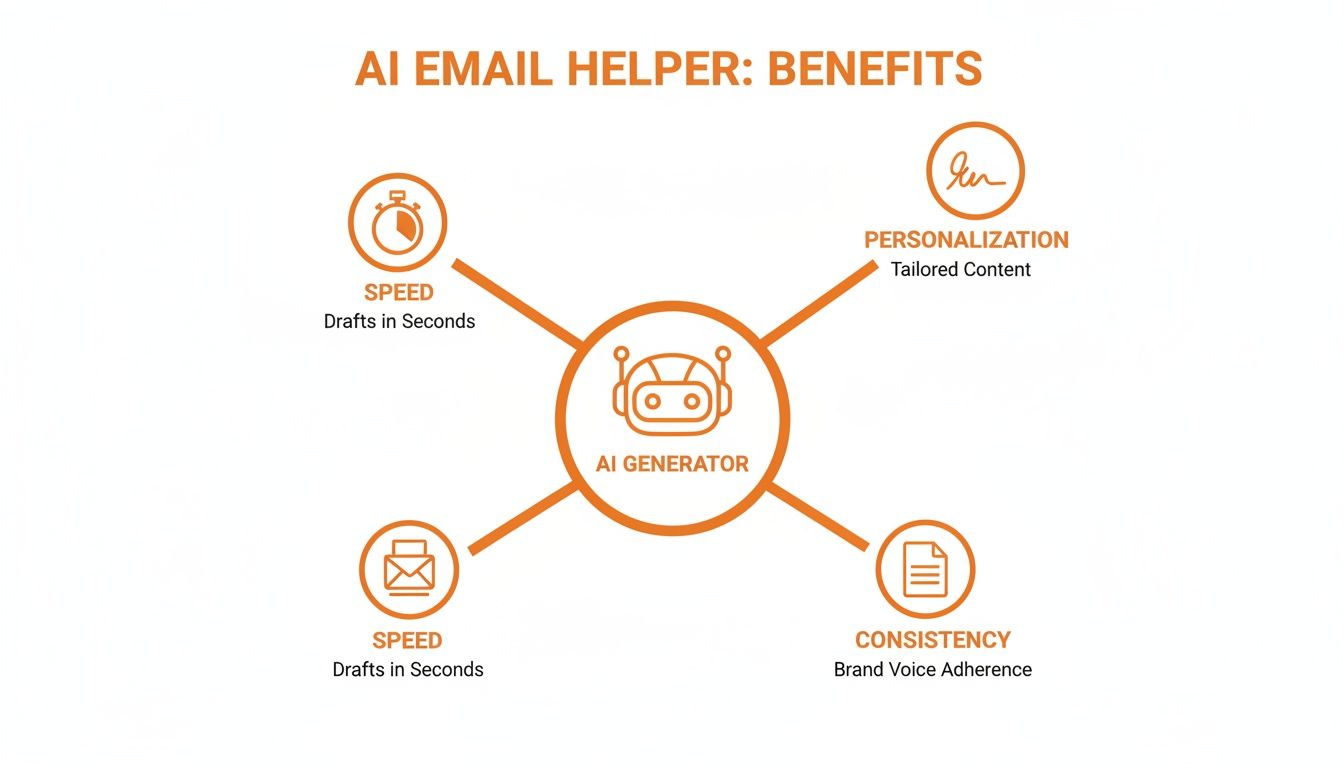
As the diagram shows, a great AI generator balances these three pillars. It uses what it learns about your style to create drafts that are not just fast, but also consistently on-brand and personally tuned for each recipient.
The Continuous Feedback Loop
The learning doesn’t stop after the initial setup. A smart AI gets better and better over time simply by watching what you do. Every draft it offers is a chance for it to fine-tune its understanding.
Think of it as on-the-job training. When you use a suggested draft as-is, you’re basically telling the AI, "Yep, that’s perfect." If you tweak a sentence, you’re teaching it a subtle preference. And if you scrap the draft entirely and write your own, it learns what not to do next time. This constant feedback loop is what turns the AI into a reliable partner for tackling your inbox.
The Real Benefits for Busy Professionals

It’s one thing to understand how an AI email response generator can mimic your writing style, but what does that actually mean for your day-to-day work? For busy professionals, the impact isn't just a neat tech trick—it’s a tangible shift in your calendar, communication, and even your mental energy.
Let’s break down the three core advantages.
Reclaim Hundreds of Hours Annually
The most obvious win is getting your time back. For founders, consultants, and executives, email is a black hole, easily sucking up 250 hours every year. An AI assistant tackles this head-on by automating the most tedious part of the job: writing the first draft.
Instead of staring at that blinking cursor, you’re handed a well-written reply that’s already 90% of the way there. That little change snowballs. Shaving just a few minutes off each email can free up 5-10 hours every week. Think about what you could do with that time—dig into strategic planning, build client relationships, or focus on product development. You know, the stuff that actually grows your business.
The real point of an AI email generator isn't just to send emails faster. It’s to shift your most precious resource—your time—from admin drudgery to high-impact work.
Suddenly, email stops being a reactive chore and becomes just another efficient part of your workflow. Over a year, that can add up to an entire month of work time reclaimed.
Elevate Your Communication Quality
Let's be honest: when we're busy, quality suffers. Rushing to fire off replies between meetings means your tone can get clipped, or you might forget a key detail. An AI email response generator acts as a buffer, ensuring every message you send is professional and consistent, even on your most chaotic days.
The AI learns from your best emails—the ones you took the time to craft perfectly—and uses that as the gold standard for everything else. This is a game-changer in roles where every word counts.
- For Consultants: Every client update is clear, polished, and on-brand, reinforcing your expertise.
- For Founders: You maintain a consistent voice with investors, partners, and your team, building trust through reliable communication.
- For Sales Leaders: Follow-ups are prompt and professional, so promising leads don't go cold because you got tied up.
By giving you a solid first draft every single time, the tool sets a high bar for all your communications and protects your professional reputation.
Reduce Mental Fatigue and Decision Overload
Finally, there’s a benefit that's easy to overlook: less brain drain. Each email forces a series of tiny decisions: How do I open? What's the right tone here? How can I say "no" politely? This constant, low-level decision-making adds up, draining the mental energy you need for the big stuff.
It's the classic "blank page problem," and it's a huge productivity killer. An AI assistant solves it by handing you a draft that’s ready to go. The initial friction is gone. This frees up your mental bandwidth, so you can spend your cognitive energy on strategy and problem-solving instead of on crafting routine emails.
At the end of the day, an AI email response generator is more than just a productivity hack. It's a system for protecting your focus and energy for the work that truly matters.
7 Practical Ways AI Email Generators Are Already Being Used
Theory is one thing, but the real magic of an AI email response generator happens when you see it solve the communication bottlenecks you face every single day. This isn't just about saving a few minutes here and there; it's about fundamentally changing how you handle your inbox for the better.
Let's look at how different professionals are already using this tech to get more done.

For Founders Juggling It All
If you're a founder, you're constantly wearing a dozen different hats. Your emails to investors, team members, and early customers all need to be sharp, professional, and on-time. An AI generator acts like a co-pilot, taking care of the routine drafting so you can stay focused on the big picture.
Here’s where it can be a lifesaver:
- Investor Updates: Instead of staring at a blank screen to write that monthly progress report, you can give the AI a few bullet points. It will draft a formal, data-driven summary based on the tone you've used in past investor emails.
- Team Coordination: A team member pings you for clarification on a project. The AI can instantly draft a quick, encouraging response that pulls in context from previous discussions, helping you maintain a great internal culture without getting bogged down.
- Partnership Inquiries: When a potential partner reaches out, the AI generates a polite, professional reply that acknowledges their interest and outlines the next steps. You never miss an opportunity because you were too slow to respond.
A founder’s time is their most valuable asset. An AI email response generator protects that asset by handling the communication overhead, allowing them to stay focused on building the business, not just managing an inbox.
For Consultants Building Client Trust
For consultants, every single email is a direct reflection of their brand and expertise. You have to sound polished and client-ready every time, but that takes a ton of effort. An AI email tool makes sure every check-in, report, and follow-up hits that high standard, automatically.
Think about these common scenarios:
- Project Status Updates: A client emails asking for a quick update. The AI drafts a perfect, concise summary of recent progress and what’s next, using the kind of professional and proactive language they expect from you.
- Scheduling Follow-Ups: Right after a big meeting, the AI can generate a follow-up that thanks the client, recaps the key decisions, and suggests times for the next call. It learns from your typical post-meeting style and does the work for you.
- Answering Scope Questions: A client asks if a new request is included in the project scope. The AI helps you draft a thoughtful reply that gently references the original agreement while offering to discuss the new idea separately. You can find pre-built prompts for these situations in our library of AI-generated response templates.
For Sales Leaders Nurturing Every Lead
In sales, speed and personalization are the name of the game. A lead who has to wait too long for a reply will go cold—fast. An AI email response generator helps sales teams stay on top of every single conversation without losing the personal touch that actually closes deals.
Here's how it helps drive revenue:
- Post-Demo Follow-Ups: After a product demo, the AI can draft a personalized thank-you note that highlights the specific features the prospect was most excited about and includes a clear call to action.
- Responding to Objections: A prospect raises a concern about pricing. The AI can help you draft an empathetic and informative response that addresses their point head-on, drawing from how you've successfully handled similar objections before.
- Lead Nurturing: For those leads who aren't quite ready to buy, the AI can generate gentle check-in emails, keeping your solution top-of-mind without you having to manually track every single one.
AI Email Generator Application by Professional Role
To see how this all comes together, here's a quick summary of how different professionals can put these tools to work.
| Professional Role | Primary Use Case | Key Benefit |
|---|---|---|
| Founders | Responding to investor, team, and partner inquiries | Frees up time for strategic growth and business development |
| Consultants | Drafting client updates, follow-ups, and scope clarifications | Maintains consistent brand voice and professionalism |
| Sales Leaders | Following up with leads and addressing objections | Increases response speed and personalization at scale |
| Customer Support | Answering common questions and resolving tickets | Improves resolution time and customer satisfaction |
| HR Managers | Replying to candidate applications and internal queries | Ensures timely and consistent communication |
| Project Managers | Sending status reports and coordinating with stakeholders | Keeps projects on track and stakeholders informed |
| Marketing Managers | Engaging with influencers and managing campaign inquiries | Nurtures relationships and manages outreach efficiently |
In each of these roles, the AI email response generator isn't just a gadget—it's a force multiplier. It takes the repetitive, time-consuming parts of email off your plate so you can focus on the strategic thinking and relationship-building that truly move the needle.
How to Choose the Right AI Email Tool
With new AI tools popping up constantly, trying to pick the right email response generator can feel a bit like drinking from a firehose. Let's be honest, not all of them are built the same. Some are just glorified template generators, while others can genuinely act as a second brain, saving you hours of work. Choosing the right one really boils down to knowing what actually matters.
Your goal isn't just to find any tool; it's to find one that slots right into your existing workflow, keeps your data safe, and—most importantly—actually learns to write like you. Let's walk through the key things to look for so you can make a smart choice and skip the common frustrations.
Prioritize Deep Voice Personalization
Here’s the single biggest thing that separates a helpful AI from a useless one: how well it learns your voice. If a tool just spits out replies in the same bland, "professionally-speak" tone for everyone, you'll spend more time editing its work than it would have taken to write the email yourself. You need an assistant that gets the subtle stuff.
A top-tier AI email response generator goes way beyond a single, generic style. It figures out how your tone, word choice, and even your level of formality change depending on who you're emailing. A system like Draftery, for example, builds per-recipient voice profiles. This means the draft it writes for your most important client will sound completely different from the quick note it suggests for your business partner.
A tool that masters your voice becomes a true partner. A generic one is just another piece of software you have to fight with. Look for features that specifically talk about adapting to different people you email.
Ensure Seamless Inbox Integration
The best tools are the ones you forget are even there—they just work. An AI email assistant should operate right inside your email client, not in some other browser tab you have to switch back and forth to. If you're constantly copying and pasting, you're losing all the time you were supposed to be saving.
Look for a tool that plugs directly into your inbox, like Gmail. It should feel like it's part of the furniture, offering up drafts right where you need them. The whole point is to make your life simpler: you open an email, you see a suggested reply, you give it a quick once-over, and you hit send. Anything more complicated just adds friction.
Scrutinize Privacy and Security Policies
Giving an AI access to your inbox is a big deal, and it requires trust. Before you even think about connecting a tool to your account, you have to dig into its privacy and security policies. Any company worth its salt will be completely upfront about how it handles your information.
Here are the absolute must-haves you should look for in a privacy policy:
- Read-Only Access: The tool should only need permission to read your sent mail to learn your style. It should never have the power to send, delete, or change anything on its own.
- No Data Sharing: The provider must state, in no uncertain terms, that they will never sell or share your data with advertisers or any other third parties.
- No Model Training on Your Data: Your private emails should never, ever be used to train the company's general AI models for other customers.
- Full User Control: You should have the ability to disconnect your account and permanently wipe all of your data from their servers at any time, no questions asked.
Evaluate Your Options Side by Side
When you start comparing solutions, don't get lost in the marketing fluff. Look for clear, direct comparisons that show you exactly how one tool differs from another on the features that will actually impact your day. This screenshot shows how Draftery stacks up against other tools, focusing on the core differences.
The real takeaway here is to look past generic claims and zero in on specific features like per-recipient voice matching and native inbox integration. Understanding these distinctions is what will help you pick an AI email assistant that actually works for you, rather than creating more work.
Getting Started with AI Email Generation

Diving into AI for your email might seem like a huge leap, but the best tools make it surprisingly easy. A good AI email response generator should fit right into your existing routine, not force you to learn a whole new one. The setup is usually a quick, three-step process designed to get you from signing up to sending your first AI-assisted reply in just a few minutes.
The most important thing to remember is this: you are always in control. The AI is your assistant, not your replacement. Every draft it creates is just a starting point—a suggestion for you to review, edit, and approve before a single word goes out.
The Simple Three-Step Setup
Getting your AI assistant ready to go should be painless. Here’s a quick look at what you can expect when you get started with a tool like Draftery:
Connect Your Account Securely: This is typically a one-click step. You grant the tool permission to read your Gmail account, which lets it analyze your sent mail history to learn how you write. It's a "read-only" look, so it never messes with your existing emails.
Let the AI Learn Your Voice: This is where the magic happens. The AI scans the messages you've already sent to create a unique voice profile. It picks up on your typical greetings, your go-to sign-offs, the words you use, and even how your tone changes depending on who you're talking to.
Review Your First Drafts: Almost right away, you'll start seeing draft replies for new emails that land in your inbox. All you have to do is give them a quick read, make any tweaks you see fit, and hit send.
The real power comes from the feedback loop. Every time you use a draft, edit it, or ignore it, you’re teaching the AI. It’s constantly learning and getting better at mimicking your style, so each new draft is even more on-point than the last.
Experience the Impact Firsthand
The only way to really get how much an AI email response generator can help is to see it working in your own inbox. Hearing about the benefits is one thing, but actually getting your first few hours back is something else entirely.
Most tools, Draftery included, let you try them out with a free trial, usually without even asking for a credit card. You can explore a powerful AI email writer and see the difference for yourself. This gives you a no-pressure way to see how the drafts learn your voice and how much time you can save before deciding if it's the right fit.
Your Questions, Answered
It's smart to have questions before you let a new tool anywhere near your inbox. Let's tackle some of the most common concerns busy professionals have when considering an AI email response generator.
Is My Email Data Safe and Private?
This is, without a doubt, the most important question. The short answer is yes, as long as you choose a reputable tool. Your privacy should be the top priority.
A secure system operates on a read-only access basis. It scans your past sent emails to learn your style but never has permission to change or delete anything in your account. Think of it as a student studying your work, not an editor with a red pen.
Most importantly, the tool should never send emails for you, sell your data, or feed your personal conversations into its general AI models. Always look for a clear privacy policy that guarantees your data is encrypted and that you can pull the plug—and delete everything—whenever you want.
Will the AI-Generated Emails Sound Like a Robot Wrote Them?
That’s a fair concern. We’ve all seen generic AI text that feels cold and lifeless. But the best tools are built to solve that exact problem. Instead of using a one-size-fits-all model, a sophisticated AI email response generator creates a personal voice profile based on your writing.
It picks up on your specific vocabulary, your level of formality, and even the warmth you use when talking to different people.
The whole point isn’t to create “AI writing.” It’s to generate drafts that sound so much like you, no one would ever guess you didn't type every word yourself.
This is what makes the drafts feel authentic and human, not like they rolled off a machine's assembly line.
How Long Does It Take for the AI to Learn My Writing Style?
It’s a lot faster than you might think. Once you connect your email account, the AI can build an initial style profile in just a few minutes by analyzing your sent mail.
But the real magic happens over time. The system gets smarter with every single interaction. Each time you use a draft, edit it, or even ignore it, you’re teaching the AI. It's a constant feedback loop that refines the suggestions, making them more and more accurate. The more you use it, the better it gets at knowing what you want to say before you do.
Ready to stop typing and start replying? Give Draftery a try and see how much time you can get back. Your first AI-drafted replies are just minutes away.
Start your free 7-day trial and get email drafts that genuinely sound like you.


