Client Communication Best Practices: Save Time and Build Trust

In a competitive professional world, the quality of your client communication is a direct measure of your success. It’s not just about what you say, but how you say it, how quickly you respond, and how consistently you show up. Generic advice falls short for busy founders, consultants, and executives who manage dozens of high-stakes conversations daily.
Exceptional communication builds trust, prevents costly misunderstandings, and saves you countless hours. This guide moves past the obvious, offering ten specific client communication best practices you can implement immediately.
We'll cover practical strategies like establishing a consistent personal voice, managing response expectations, and using smart tools to improve your effectiveness without losing the human touch that wins deals and keeps clients happy. Forget theory; this is about actionable steps that refine your workflow and strengthen professional relationships. Let’s explore the techniques that will set you apart.
1. Adopt a Consistent Personal Voice Across All Communications
One of the most effective client communication best practices is developing a consistent personal voice. This means your writing style—from greetings and sign-offs to your choice of words and punctuation—remains recognizable and authentic across all interactions. For freelancers and solopreneurs especially, a consistent voice transforms routine emails into a powerful branding tool, building trust and making you more memorable.

This doesn't mean using the same tone for a CEO as you would for a project manager. Instead, it’s about applying your core communication traits consistently within those different contexts. For example, a consultant might maintain a formal tone with C-suite clients while adopting a more accessible, collaborative style with team members, yet their core politeness and clarity remain constant. This predictability helps clients feel comfortable because they know what to expect from you.
Why It Works: Consistency builds predictability, and predictability builds trust. When clients can anticipate your communication style, it reduces cognitive load and strengthens the professional relationship.
How to Implement This Practice:
- Audit Your Style: Review 20-30 of your recent sent emails. Note your go-to greetings ("Hi," "Hello," "Dear"), closings ("Best," "Regards," "Cheers"), and common punctuation habits (like exclamation points or emojis).
- Define Your Voice Markers: Document your natural communication preferences. Are you generally formal or informal? Do you prefer simple vocabulary or more technical terms?
- Adjust by Audience: Note how your formality and warmth shift based on the recipient's role and your relationship with them. Create a simple mental map: "C-Suite = Formal, Direct," "Project Team = Collaborative, Encouraging."
- Seek Feedback: Ask a trusted colleague how they perceive your writing style. Their outside perspective can reveal patterns you might have missed.
2. Implement Rapid Response with Quality Control (The Draft-Review-Send System)
For professionals managing high email volumes, speed often comes at the expense of quality. An effective client communication best practice to solve this is the Draft-Review-Send system. This hybrid approach uses AI-generated drafts as a starting point, which you then quickly review, refine, and send. It combines machine speed with human oversight, ensuring every message meets professional standards without the time drain of manual composition.
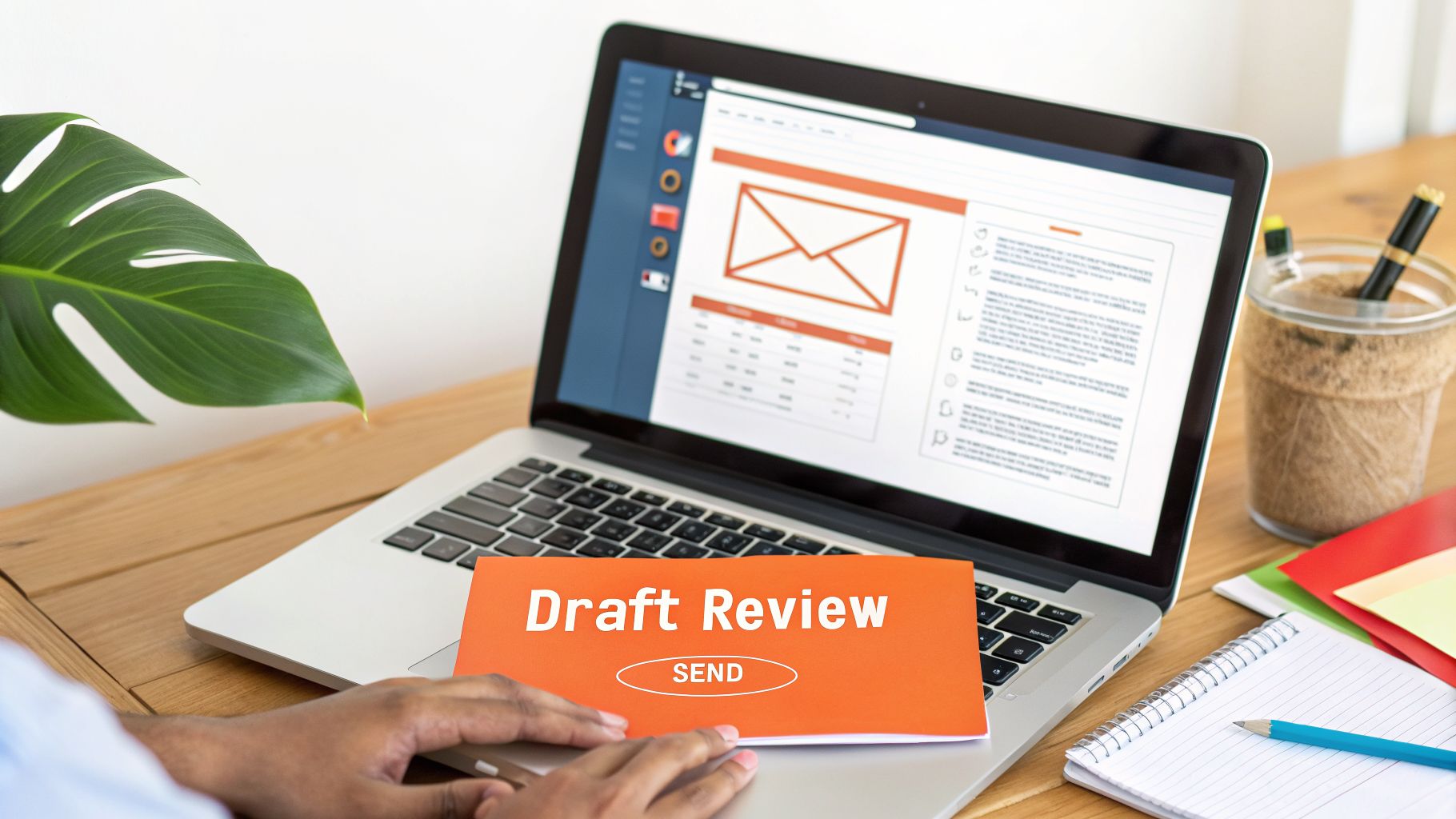
This method is especially powerful for roles involving 50+ emails daily, where reducing composition time is critical. For instance, founders using this workflow have cut their email time from over 12 hours per week to just four. Similarly, sales executives can increase their follow-up frequency by 40% without any drop in quality. The key is never sending a draft without a quick human review to add personalization and ensure accuracy. To further manage your inbox, you can explore additional strategies to handle email overload effectively.
Why It Works: It separates the cognitive load of composing from the lighter task of editing. This reduces decision fatigue and "blank page syndrome," allowing you to maintain rapid response times without sacrificing the personal touch that builds strong client relationships.
How to Implement This Practice:
- Set a 30-Second Review Standard: Aim to read the draft, make 0-2 essential edits, and hit send within 30 seconds. This enforces efficiency.
- Personalize 1-2 Details: Before sending, always add a specific detail, like the client’s name in the greeting or a reference to a recent conversation.
- Use Drafts to Unblock Yourself: For difficult or sensitive emails, generate a draft to get your initial thoughts on paper. This gives you a solid base to refine and perfect.
- Track Your Edits: Notice which types of drafts require the most changes. Use this data to refine your AI prompts or style guides for better first-pass results.
3. Segment Clients by Communication Relationship and Adjust Tone Accordingly
Effective client communication best practices require more than a one-size-fits-all approach. Segmenting your contacts by relationship type allows you to intentionally adjust your tone, formality, and level of detail for each audience. This calibration ensures your messages resonate appropriately, whether you're addressing a C-suite executive or a collaborative project partner.
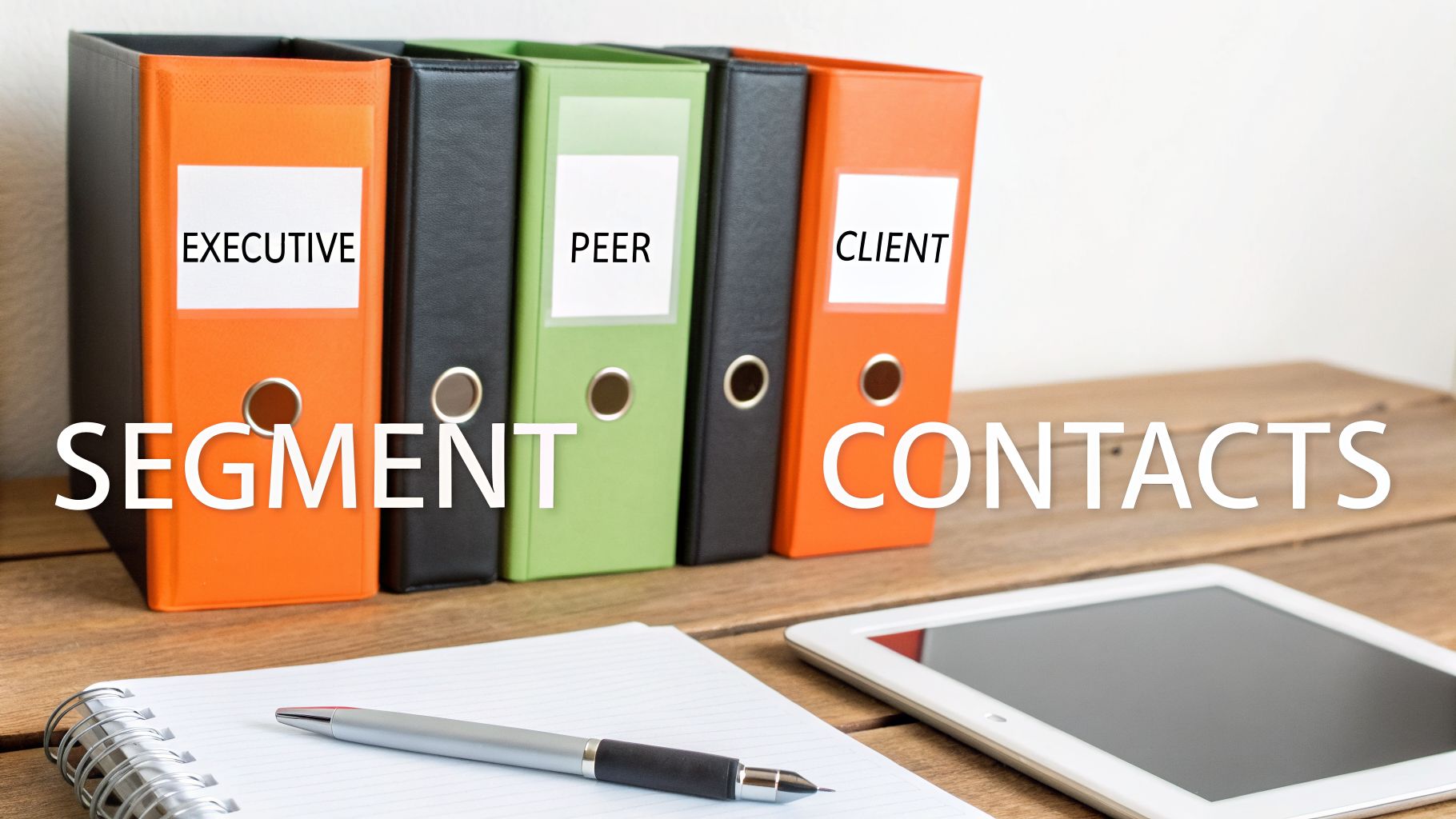
This strategy is about matching your communication style to the relationship's context and expectations. For instance, a consultant might send a five-sentence executive summary to a CEO but a two-paragraph detailed update to the project manager. The core information is the same, but the delivery is customized. This shows respect for the recipient's time and role, strengthening your professional credibility across diverse stakeholder groups.
Why It Works: Calibrating your communication to the relationship dynamic demonstrates high emotional intelligence and respect for the other person’s context. It makes your communication more effective and reinforces your role.
How to Implement This Practice:
- Create 3-5 Contact Segments: Start by defining key relationship categories, such as "Executive," "Peer/Collaborator," "New Client," and "Long-Term Partner."
- Define Your Rules of Engagement: Document the typical message length and formality for each segment. For example, executives might get bullet points and 4-6 sentences, while peers receive more conversational paragraphs.
- Use Contact Tags: Apply your segments directly within your email client. Using tags or labels in Gmail or Outlook makes your segmentation immediately visible when you compose a message.
- Ask Before You Write: Before hitting send, ask yourself: "What relationship am I protecting or building here?" This simple check ensures your tone aligns with your goal.
4. Use Email Tone Analysis Before Sending Sensitive Communications
Before hitting "send" on emails about performance feedback, apologies, or conflicts, it's wise to analyze their tone. This practice helps ensure your message lands exactly as intended. For managers, HR professionals, and client-facing roles, a pre-send tone check can catch mismatches before they cause damage, making it a critical step in maintaining positive client communication best practices.

Imagine a manager writing a performance review email; a tone analyzer might reveal that their constructive feedback reads as overly critical. They can then adjust the language to be more encouraging. Similarly, a customer support specialist can check an apology email to ensure its warmth isn't lost to defensive phrasing. This small step protects relationships by aligning your intent with your impact.
Why It Works: Digital text lacks non-verbal cues, making it easy to misinterpret tone. Analyzing an email beforehand provides an objective check, preventing unintended conflict and preserving professional rapport.
How to Implement This Practice:
- Mandate a Review: Make tone analysis a required step for emails containing feedback, apologies, refusals, price increases, or difficult requests.
- Aim for a Target Tone: For relationship-sensitive topics, aim for a "warm and professional" tone. For standard transactional messages, a "clear and neutral" tone is often best.
- Rewrite if Flagged: If an email's tone is flagged as negative, rewrite it to focus on solutions and respect before resending. Pay attention to repeated words, as multiple instances of a critical term can amplify harshness.
- Build a Quick Workflow: Incorporate a 30-second tone review into your routine for sensitive messages. Using a tool like Draftery’s Email Tone Analyzer can provide a free and instant check without any sign-up.
5. Establish Clear Response Expectations, Communication Channels, and Cadences
Ambiguity is the enemy of efficient client communication. One of the most impactful client communication best practices is to explicitly define how, where, and when interactions should happen. This involves setting clear expectations for response times, designating specific channels for different types of conversations, and establishing a regular communication rhythm, or cadence. This structure prevents missed deadlines, reduces unnecessary message volume, and ensures everyone knows their role.
Instead of a vague "Thoughts on this?", a project manager should state, "Please review the attached deck and confirm sign-off by Friday EOD." This clarity directs action and sets a firm deadline. Similarly, a consultant can set norms from the start: email for contracts and final deliverables, a shared Slack channel for quick project updates, and bi-weekly calls for strategic planning. This framework eliminates guesswork and streamlines workflow for everyone involved.
Why It Works: Setting clear boundaries and expectations removes friction and cognitive load. When clients know which channel to use and when to expect a response, it builds confidence and creates a more predictable, professional partnership.
How to Implement This Practice:
- Document Your Norms: Create a simple "Communication Guide" during onboarding. State your preferred channels (e.g., email for formal records, Slack for quick questions) and expected response times, like "Emails are answered within 24 business hours."
- Use Action-Specific Language: Start your requests with a clear verb. Use phrases like "Please review and approve," "For your information only, no action needed," or "I need your decision by Thursday."
- Front-Load the Ask: Place your main request in the first sentence of your message so the recipient immediately understands what is needed. Provide context and background details afterward.
- Confirm Complex Requests: After a call, send a quick summary to ensure alignment. For example: "To confirm: you will provide the assets by Tuesday, and I will deliver the first draft by Friday."
6. Personalize at Scale by Using Specific Details and References
Effective personalization goes beyond just using a client's first name. This client communication best practice involves weaving specific details from past conversations, recent accomplishments, or project context into your messages. This makes your communication feel human and attentive, even when you’re handling a high volume of emails, preserving the personal touch that builds strong relationships while maintaining efficiency.
Instead of sending a generic "Following up on my previous note," you might reference a specific challenge they mentioned, like, "Last month you brought up Q4 budget constraints, has that shifted?" This shows you were listening and are invested in their unique situation. For customer success, it’s the difference between asking "How's implementation?" and "I noticed you onboarded your new team last month. How is the ramp-up going?" These small references make a significant impact.
Why It Works: Specificity signals attentiveness and genuine interest. When clients see you remember details about their goals or challenges, it validates their importance and reinforces that they are more than just another account.
How to Implement This Practice:
- Track Key Details: For each client, note 1-2 key details like a recent project, a mentioned goal, or a business challenge. Use your CRM or a simple spreadsheet to keep these notes accessible.
- Reference Past Interactions: Start emails with context, such as, "During our call last Tuesday..." or "In your email about the new reporting dashboard..." to instantly ground the conversation.
- Create "Personalization Pockets": When building email templates, leave bracketed placeholders like
[REFERENCE RECENT GOAL]or[ASK ABOUT SPECIFIC CHALLENGE]that force you to add a unique detail before sending. - Mention Client Accomplishments: A quick note like, "Congrats on the new feature launch I saw on LinkedIn!" shows you are paying attention to their world beyond your direct project work.
7. Create and Use Email Templates with Multiple Tone Variants
Building a library of pre-written email templates for common situations is a powerful client communication best practice that saves significant time while maintaining quality. By creating templates for recurring scenarios like onboarding, follow-ups, or support requests, you eliminate the need to compose messages from scratch, ensuring your language remains professional and consistent.
The real advantage comes from developing multiple tone variants for each template. A single template might have a formal version for enterprise clients, a collaborative one for project partners, and a warm, friendly option for small business owners. For example, a consultant’s "Scope Clarification" template could have a formal variant for legal-sensitive discussions and a collaborative one to foster a partnership feel. This approach allows for quick, context-appropriate personalization without sacrificing efficiency.
Why It Works: Templates provide a consistent foundation, while tone variants offer the flexibility needed to adapt to different relationships. This combination saves mental energy and ensures every message hits the right note.
How to Implement This Practice:
- Identify Recurring Scenarios: List your top 5-7 most frequent email situations, such as post-demo follow-ups, thank you notes, or handling objections.
- Create Tone Variants: For each template, write at least two versions: a formal one and a more informal or collaborative one. Base your choice on the recipient's role and your relationship, not your personal mood.
- Structure Your Templates: Build each template with clear placeholders: a greeting, context for the email, the main message, a clear next step, and a closing. Use bracketed text like
[Client Name]or[Date]for easy personalization. - Store and Access Easily: Save your templates in a dedicated Gmail drafts folder, a notes app, or a specialized tool for quick access. For professionally crafted options, consider Draftery’s email templates, which come with multiple tone variants. You can also review how to set up an automated email response template to further streamline your workflow.
8. Implement Response Prioritization Systems to Avoid Urgency Bias
Not every incoming client message carries the same weight. One of the most effective client communication best practices is to build a system that sorts communications by actual impact rather than perceived urgency. This practice helps you avoid the common trap of "urgency bias," where the loudest or most recent message gets your attention first, regardless of its importance. By creating a clear hierarchy, you ensure critical-path items are addressed promptly while preventing low-value interruptions from derailing your focus.
For example, a consultant might classify new client work questions as "same-day" responses, while treating partnership inquiries as "weekly batch" items. This intentional sorting allows you to dedicate your best energy to tasks that directly influence revenue and client satisfaction. It prevents your schedule from being controlled by an endless stream of non-critical requests, making your workflow more predictable and productive.
Why It Works: A prioritization system moves you from a reactive state to a proactive one. It ensures that your time and attention-your most valuable resources-are allocated based on strategic importance, not just notification alerts.
How to Implement This Practice:
- Define Your Tiers: Create 3-5 priority levels with clear response time goals. For instance: Tier 1 (Immediate/Same Day), Tier 2 (24 Hours), Tier 3 (Weekly Batch).
- Set Entry Criteria: Specify what defines each tier. Tier 1 could be revenue-related issues or major project blockers. Tier 2 might be routine client questions, while Tier 3 could be vendor emails and FYI messages.
- Use Email Filters: Set up labels or filters in your email client (like Gmail or Outlook) to automatically categorize incoming messages based on sender or keywords, assigning them to a priority tier.
- Batch Your Work: Schedule specific time blocks in your calendar to handle each priority level. For example, check and respond to Tier 1 emails three times a day, but only process Tier 3 emails on Friday afternoons.
9. Build Feedback Loops to Continuously Improve Communication Effectiveness
Effective client communication isn’t a skill you master once; it’s a process you continuously refine. Building feedback loops means actively monitoring how your messages land and using that data to improve your style, tone, and structure. This practice turns your daily interactions into a source of valuable insight, helping you discover what works and what doesn't.
This goes beyond simply asking if an email was clear. It involves tracking metrics like response rates, follow-up frequency, and the types of questions your emails generate. For example, a sales executive might notice that emails with an empathetic opening line get a 3x higher meeting acceptance rate than feature-focused messages. Likewise, a consultant may find that proposals with one clear call-to-action receive decisions 40% faster than those with multiple options.
Why It Works: Treating communication as an optimizable process, not just an art, provides concrete data for improvement. Feedback loops reveal your blind spots and show you precisely how to adjust your approach for better outcomes.
How to Implement This Practice:
- Track Key Metrics: Monthly, review your response rates by recipient type, the average time it takes to get a response, and how often your emails lead to clarification questions.
- Note Friction Points: Identify which email types cause problems, such as lengthy explanations that get "TL;DR?" replies or unclear requests that generate confusion.
- Collect Direct Feedback: Quarterly, ask clients, "How would you prefer I communicate updates? More frequent and brief, or less frequent and comprehensive?"
- Perform Micro-Checks: Ask one person each month, "Was my email clear on what I needed from you?" This simple question can quickly highlight where you can be more direct.
10. Leverage Role-Specific and Persona-Based Communication Guides
Effective communication isn't a one-size-fits-all skill; the challenges a freelancer faces are different from those of a C-suite executive. One of the most practical client communication best practices is to use guides tailored to your specific professional role. This approach moves beyond generic advice to provide strategies that directly address the realities of your position, whether you're a founder building a company culture or a consultant managing multiple client personas.
For instance, a founder's guide might focus on high-volume email management and delegating communication tasks. In contrast, a consultant's guide would prioritize matching their voice to each client and clarifying scope to prevent project creep. By focusing on your role, you get immediately actionable solutions for your most frequent communication bottlenecks. This targeted method helps you improve where it matters most.
Why It Works: Role-specific advice acknowledges that communication challenges are context-dependent. Focusing on your primary role's pain points delivers a higher return on your efforts than applying broad, generic tips.
How to Implement This Practice:
- Identify Your Roles: Start with your primary professional title (e.g., "Consultant"). Then, identify any secondary roles you occupy, such as "Project Lead" or "Salesperson."
- Focus on High-Impact Tips: Read a guide for your main role and highlight 3-5 tips that address your biggest time sinks or sources of friction.
- Create Voice Profiles: If you're a consultant or freelancer, build a simple "voice profile" for each key client. Note their preferred level of formality, detail, and response time to ensure consistency.
- Over-Communicate Early: For freelancers and consultants, it's crucial to communicate extensively at the beginning of a project. This sets clear expectations and prevents misunderstandings about scope and deliverables later on.
10-Point Comparison: Client Communication Best Practices
| Item | 🔄 Implementation complexity | ⚡ Resource requirements | 📊⭐ Expected outcomes | 💡 Ideal use cases | ⭐ Key advantages |
|---|---|---|---|---|---|
| Adopt a Consistent Personal Voice Across All Communications | 🔄 Medium — audit past emails; quarterly updates | ⚡ Moderate initial time (hours); minimal tooling | 📊 Stronger recognition & trust; ⭐ consistent brand; ~5–7 min saved/email | 💡 Solopreneurs, freelancers, founders, consultants | ⭐ Builds trust and predictable client experience |
| Implement Rapid Response with Quality Control (Draft-Review-Send System) | 🔄 Medium — new workflow and review discipline | ⚡ Moderate — AI + human review; training time | 📊 60–75% faster composition; ⭐ preserves authenticity | 💡 High-volume email users (50+ daily), sales, support teams | ⭐ Fast scaling with mandatory human oversight |
| Segment Clients by Communication Relationship and Adjust Tone Accordingly | 🔄 Medium — define segments; ongoing recalibration | ⚡ Moderate — tagging, profile setup, maintenance | 📊 Higher engagement (eg. +28% for execs); reduced tone errors | 💡 Account managers, HR, ops, executives | ⭐ Tailors tone per stakeholder; reduces miscommunication |
| Use Email Tone Analysis Before Sending Sensitive Communications | 🔄 Low — add pre-send analysis step | ⚡ Low — quick tool checks; minimal time cost | 📊 Fewer tone-related mishaps; ⭐ safer sensitive comms | 💡 Managers, HR, customer-facing roles, non-native speakers | ⭐ Prevents unintended harshness; builds confidence |
| Establish Clear Response Expectations, Communication Channels, and Cadences | 🔄 Medium — upfront definitions and discipline | ⚡ Moderate — documentation + enforcement | 📊 Fewer follow-ups; 30–40% faster decisions; lower volume | 💡 Project managers, distributed teams, client-facing roles | ⭐ Clarifies action/authority; improves predictability |
| Personalize at Scale by Using Specific Details and References | 🔄 Medium — template + personalization points | ⚡ Moderate — CRM or notes; ~1–2 min extra if manual | 📊 +45–50% engagement; preserves intimacy at scale | 💡 Sales follow-ups, account management, customer success | ⭐ Feels human at scale; higher engagement rates |
| Create and Use Email Templates with Multiple Tone Variants | 🔄 Low — build templates and tone variants | ⚡ Low — reusable assets; periodic updates | 📊 50–70% faster for recurring scenarios; consistent language | 💡 Support, operations, customer success, sales | ⭐ Saves time; maintains professionalism with tone choice |
| Implement Response Prioritization Systems to Avoid Urgency Bias | 🔄 Medium — define tiers, SLAs and rules | ⚡ Low–Moderate — filters/labels + behavior change | 📊 More strategic time; reduced stress; better triage | 💡 Founders, consultants, high-volume professionals, CS | ⭐ Protects focus; ensures high-impact items prioritized |
| Build Feedback Loops to Continuously Improve Communication Effectiveness | 🔄 Medium — tracking systems and regular review | ⚡ Moderate — analytics, review time, feedback collection | 📊 Data-driven improvements; reveals what lands vs backfires | 💡 High-volume senders, sales teams, teams scaling comms | ⭐ Optimizes voice via measurable signals and edits |
| Leverage Role-Specific and Persona-Based Communication Guides | 🔄 Low — adopt and customize guides | ⚡ Low — read/apply guidance; minor customization | 📊 Faster, role-fit adoption of best practices | 💡 Founders, consultants, executives, freelancers | ⭐ Targeted advice with immediate, relevant actions |
Turn Your Communication into a System for Success
The path to exceptional client relationships is paved with thoughtful, consistent, and clear communication. Throughout this guide, we've explored ten distinct strategies, but they all point to a single, powerful idea: effective client communication isn't just a soft skill you possess, but a concrete system you build. It’s about moving beyond simply answering messages and architecting a process that saves time, prevents misunderstandings, and builds deep, lasting trust.
Treating communication as a system means you stop relying on momentary inspiration or mood. Instead, you create a reliable framework that works for you, especially on your busiest days. This is the core principle behind all the client communication best practices we've discussed. Whether it's defining your personal voice, segmenting clients by relationship, or establishing clear response cadences, each practice is a component of a larger machine designed for success.
From Good Habits to a Great System
The most significant takeaway is that you don't need to be a "natural" communicator to excel. You just need to be systematic. Think about the impact of just a few of these changes:
- Clarity and Predictability: By setting clear response expectations and using consistent subject lines, you remove anxiety for both yourself and your clients. They know what to expect and when, which builds confidence in your professionalism.
- Personalization at Scale: Using templates with tone variants and referencing specific details allows you to maintain a personal touch without writing every message from scratch. This shows clients they are seen and valued, not just another number in your inbox.
- Proactive Quality Control: Implementing a Draft-Review-Send habit or using an email tone analyzer before hitting "send" on a sensitive message acts as a crucial safety net. It prevents small misinterpretations from becoming big problems.
The true value of these practices emerges when they work together. Your personal voice guide informs your templates. Your client segmentation rules determine which tone variant to use. Your response prioritization system ensures you apply these tools to the most critical conversations first. This interconnectedness is what transforms a collection of good habits into a powerful, automated engine for building relationships.
Your Actionable Next Steps
Don't try to implement all ten practices at once. The goal is steady progress, not overnight perfection. Start small to build momentum.
- Choose Two Practices: Pick one internal practice (like creating three email templates for common scenarios) and one external practice (like sending a brief email to your top three clients to clarify communication channels).
- Block 30 Minutes: Dedicate a short, focused block of time this week to implement just those two things.
- Review and Repeat: At the end of the week, see what worked. Did the templates save you time? Did clients appreciate the clarity? Then, pick your next practice to adopt.
By methodically adding these components, you will turn your inbox from a source of reactive stress into a strategic asset for growth. You’ll spend less time managing communication chaos and more time delivering real value.
Ready to build your communication system without the manual effort? Draftery is an AI email assistant designed to help you implement these best practices instantly. It learns your unique voice and automates the creation of high-quality, personalized drafts, so you can deliver exceptional communication in a fraction of the time. Start your free trial of Draftery today and turn every email into an opportunity to build a stronger client relationship.