Top 12 AI Email Writing Tools to Reclaim Your Inbox in 2026

The average professional spends over 250 hours a year just on email. For founders, sales executives, and managers, that number can easily double, representing thousands in lost billable hours or delayed projects. While email is the backbone of professional communication, the time it consumes is a significant productivity drain.
The good news? A new generation of ai email writing tools is here to help you reclaim that time. These platforms go beyond simple spell-checking; they can draft entire replies, match your unique writing style, summarize lengthy threads, and ensure your tone is always on point. This is about working smarter, not harder.
In this guide, we'll dive deep into the 12 best AI email writing tools available today. We'll explore their features, ideal use cases, and honest limitations, so you can find the right fit for your specific needs. Each review includes direct links and practical insights to help you make an informed decision.
Whether you need to:
- Manage a high-volume inbox
- Perfect your sales outreach
- Maintain a client-ready tone
- Coordinate internal team communication
There's a tool here for you. We will compare everything from major players like Microsoft 365 Copilot and Google's Gemini in Gmail to specialized apps like Draftery for privacy-focused users and Lavender for sales professionals. Let's find the tool that will get you out of your inbox and back to the work that matters.
1. Draftery
Draftery stands out among AI email writing tools for its focus on authentic, personal communication. Instead of generating generic text, it learns your unique writing style from past emails to draft replies that sound exactly like you. This tool is designed for busy professionals who need to manage high email volumes without sacrificing their personal touch. Its standout capability is creating per-recipient "voice profiles," so a draft for your CEO is appropriately formal, while a message to a teammate is more casual.

The core function is elegantly simple: Draftery analyzes an incoming email, selects the right voice profile, and places a ready-to-review draft directly into your Gmail Drafts folder. You see the suggested reply threaded in the conversation before you even open the message. This workflow allows you to quickly edit, send, or discard the draft, saving significant time.
“My team couldn’t tell the AI drafted it.” - Draftery Customer Quote
Core Features & Use Cases
- Per-Recipient Voice Matching: Draftery analyzes your sent mail to learn how you communicate with specific people, noting formality, emoji use, and typical response length. This is a key differentiator, ensuring authenticity.
- Proactive Draft Generation: It works in the background to prepare replies, which users report saves them hours each week.
- Privacy-First Design: The tool uses read-only Gmail access, never sends emails on your behalf, and encrypts all data. Your content is never used to train public models.
- Continuous Learning: Every edit you make to a draft helps the AI refine your voice profiles, making its suggestions progressively better over time.
This platform is a strong fit for founders, consultants, and sales teams who must maintain specific client-facing tones. It's also great for managers and operations leads coordinating with multiple internal and external stakeholders. You can learn more about how it functions as an AI email assistant directly on their blog.
Pricing & Setup
Setup is a simple one-click process. Draftery offers a 7-day free trial without requiring a credit card.
- Standard Plan: $19/month
- Pro Plan: $39/month
- Annual Billing: 20% discount available.
Pros & Cons
Pros:
- Voice matching produces replies that genuinely sound like you.
- Drafts are placed directly in Gmail, streamlining your workflow.
- Strong commitment to privacy and data security.
- Simple setup and includes free tools like a tone analyzer.
Cons:
- Currently limited to Gmail, with no native Outlook support.
- Initial drafts are good, but accuracy improves significantly as it learns from your edits over the first few weeks.
Website: https://draftery.ai
2. Microsoft 365 Copilot for Outlook
Microsoft 365 Copilot is an AI assistant built directly into the Microsoft Office suite, including Outlook. It is designed for businesses already operating within the Microsoft ecosystem, providing a native solution that drafts, rewrites, and summarizes emails without needing third-party plugins. It reads the context of an email thread to generate relevant replies and can pull information from other Office documents like Word or Excel to enrich your communications.
Copilot's main advantage is its deep integration and enterprise-grade security. Since it lives inside Outlook, the user experience feels seamless. You can ask it to "summarize this thread" or "draft a reply accepting this proposal" directly within the email client.
Its most compelling feature for organizations is its alignment with Microsoft's security and compliance frameworks, like Purview. This makes it a dependable choice for regulated industries where data governance is a primary concern.
Key Features & Ideal Users
- Core Functionality: Draft and rewrite emails, adjust tone, summarize long threads, and extract action items directly within Outlook.
- Ideal User: Excellent for enterprise teams, IT departments, and managers standardized on Microsoft 365. Its security features make it suitable for legal, finance, and healthcare sectors.
| Feature | Ideal Use Case |
|---|---|
| Thread & Document Context | Drafting a project update by referencing a connected SharePoint document. |
| AI-Powered Summarization | Quickly understanding the key decisions from a 50-email chain after a vacation. |
| Enterprise Security | A financial services firm deploying an AI tool that meets compliance standards. |
| Centralized Admin Controls | An IT admin managing deployment and monitoring usage across the organization. |
Pricing
Access to Microsoft 365 Copilot requires a Microsoft 365 Business Standard/Premium or Enterprise E3/E5 license. The Copilot add-on costs an additional $30 per user, per month, with an annual commitment. This pricing structure makes it a significant investment, best suited for organizations that can apply its capabilities across the entire Office suite, not just Outlook.
Pros and Cons
Pros:
- Deep Integration: No need for extra browser extensions or apps; it works natively in Outlook.
- Enterprise-Ready: Backed by Microsoft's robust security, compliance, and admin controls.
- Context-Aware: Pulls information from your calendar, contacts, and other Office files.
Cons:
- Complex Pricing: Requires specific base licenses plus a costly add-on.
- Ecosystem Lock-in: Provides the most value only if your organization is heavily invested in Microsoft 365.
While Copilot is a powerful tool for Microsoft-centric organizations, those seeking more flexible and privacy-focused options can explore other top-rated AI email assistants.
Website: https://www.microsoft.com/en-us/microsoft-365-copilot/
3. Google Workspace Gemini (Help me write in Gmail)
Google has integrated its Gemini AI directly into Gmail and the broader Workspace suite through the "Help me write" feature. This tool is designed for the millions of users and businesses who live inside the Google ecosystem. It provides a native way to draft, rewrite, summarize, and formalize emails without leaving your inbox, positioning it as a direct competitor to Microsoft's Copilot for those standardized on Google's productivity tools.

The primary appeal of Gemini in Gmail is its seamless integration and accessibility. With just a click, it can generate a complete draft from a simple prompt, adjust the tone to be more professional, or shorten a lengthy message for clarity. It can also connect to other Workspace apps, allowing it to pull context from a Google Doc or reference data in a Google Sheet when composing a message.
Its most compelling feature for individuals and teams is its accessible entry point through consumer Google One plans, making powerful AI email writing tools available without requiring an enterprise-level commitment.
Key Features & Ideal Users
- Core Functionality: Native email drafting and rewriting within the Gmail compose window, with controls for tone adjustment and length. It also connects with other Google Workspace applications for context.
- Ideal User: Perfect for small businesses, freelancers, and large organizations deeply invested in the Google Workspace ecosystem. Individuals using personal Gmail can also access it via a Google One AI Premium plan.
| Feature | Ideal Use Case |
|---|---|
| "Help me write" Button | A project manager quickly drafting a project kickoff announcement in Gmail. |
| Tone & Length Controls | A sales representative making a casual follow-up more formal for a new lead. |
| Workspace Integration | Summarizing a discussion from a Google Doc directly into an email update. |
| Multi-Plan Access | A solopreneur getting AI features through a personal Google One subscription. |
Pricing
Access to Gemini in Workspace is available through multiple routes. For businesses, it is included in several Google Workspace business plans, often as a paid add-on called Gemini for Google Workspace, which starts at $20 per user, per month (with an annual commitment). Individual users can access similar capabilities in their personal Gmail accounts by subscribing to the Google One AI Premium plan.
Pros and Cons
Pros:
- Native Integration: Works directly inside Gmail and other Workspace apps with zero setup.
- Accessible Pricing: Multiple subscription options for both individuals and businesses.
- Ecosystem Connectivity: Pulls context from Docs, Sheets, and Slides to enrich emails.
Cons:
- Feature Fluctuation: AI capabilities and plan inclusions can change as Google refines its offerings.
- Mixed User Feedback: Some users find the output less controllable or refined compared to specialized tools.
While Gemini offers a convenient, built-in solution for Google users, those needing more advanced control over email workflows might explore other platforms that provide deeper insights into effective AI for email management.
Website: https://workspace.google.com/
4. Superhuman
Superhuman is a premium email client built for speed, designed for professionals who treat their inbox like a command center. It integrates with Gmail and Outlook but replaces their standard interfaces with a sleek, minimalist design optimized for keyboard-driven workflows. Its AI features are baked directly into the drafting process, helping users write, reply, and edit messages in their own voice, but faster.

The platform’s main advantage is its unrelenting focus on efficiency. Features like Split Inbox automatically triage emails, while built-in reminders and follow-up prompts prevent important conversations from slipping through the cracks. It’s one of the most effective ai email writing tools for users who value a polished, high-performance experience.
Its most compelling feature is the combination of a lightning-fast interface with intelligent AI assistance. Superhuman learns your writing style, allowing you to generate entire replies that sound authentically like you with a single keyboard shortcut.
Key Features & Ideal Users
- Core Functionality: AI-assisted drafting and inline suggestions, rapid email triage with Split Inbox, snooze and follow-up reminders, and team collaboration on shared threads.
- Ideal User: Perfect for founders, executives, and sales professionals who handle a high volume of email and need to maintain a responsive, professional presence.
| Feature | Ideal Use Case |
|---|---|
| AI in Your Voice | A busy founder instantly drafting a personalized reply to an investor inquiry. |
| Split Inbox & Triage | A sales manager filtering newsletters out to focus on urgent client requests. |
| Blazing-Fast UX | An account executive navigating hundreds of emails daily using only shortcuts. |
| Read Statuses & Snooze | A consultant tracking when a client has read a proposal and setting a follow-up. |
Pricing
Superhuman offers a premium pricing model at $30 per user, per month (billed annually). There is no free tier, but it does provide a fully-featured 30-day trial that requires a one-on-one onboarding session. This high-touch setup is designed to ensure users master its keyboard-centric workflow.
Pros and Cons
Pros:
- Exceptional Speed: The entire experience is optimized for efficiency and minimal mouse usage.
- Polished Interface: Clean, beautiful, and distraction-free user experience.
- Smart AI Features: AI drafts messages in your unique voice, saving significant time.
Cons:
- High Cost: It is one of the more expensive email clients on the market.
- Onboarding Requirement: The mandatory onboarding call can be a hurdle for some users.
While Superhuman provides an unmatched experience for email power users, its price and specific workflow may not suit everyone. Teams prioritizing privacy and flexible tone-matching might find Draftery a more adaptable solution.
Website: https://superhuman.com/
5. Shortwave
Shortwave is a modern email client built specifically for Gmail that redesigns the inbox experience around speed and AI. It functions as a complete replacement for the Gmail interface, offering powerful AI features like drafting, rewriting, and summarizing directly within its clean, organized layout. The platform bundles related conversations, helps prioritize important messages, and learns your unique writing style from your sent mail to generate more authentic replies.
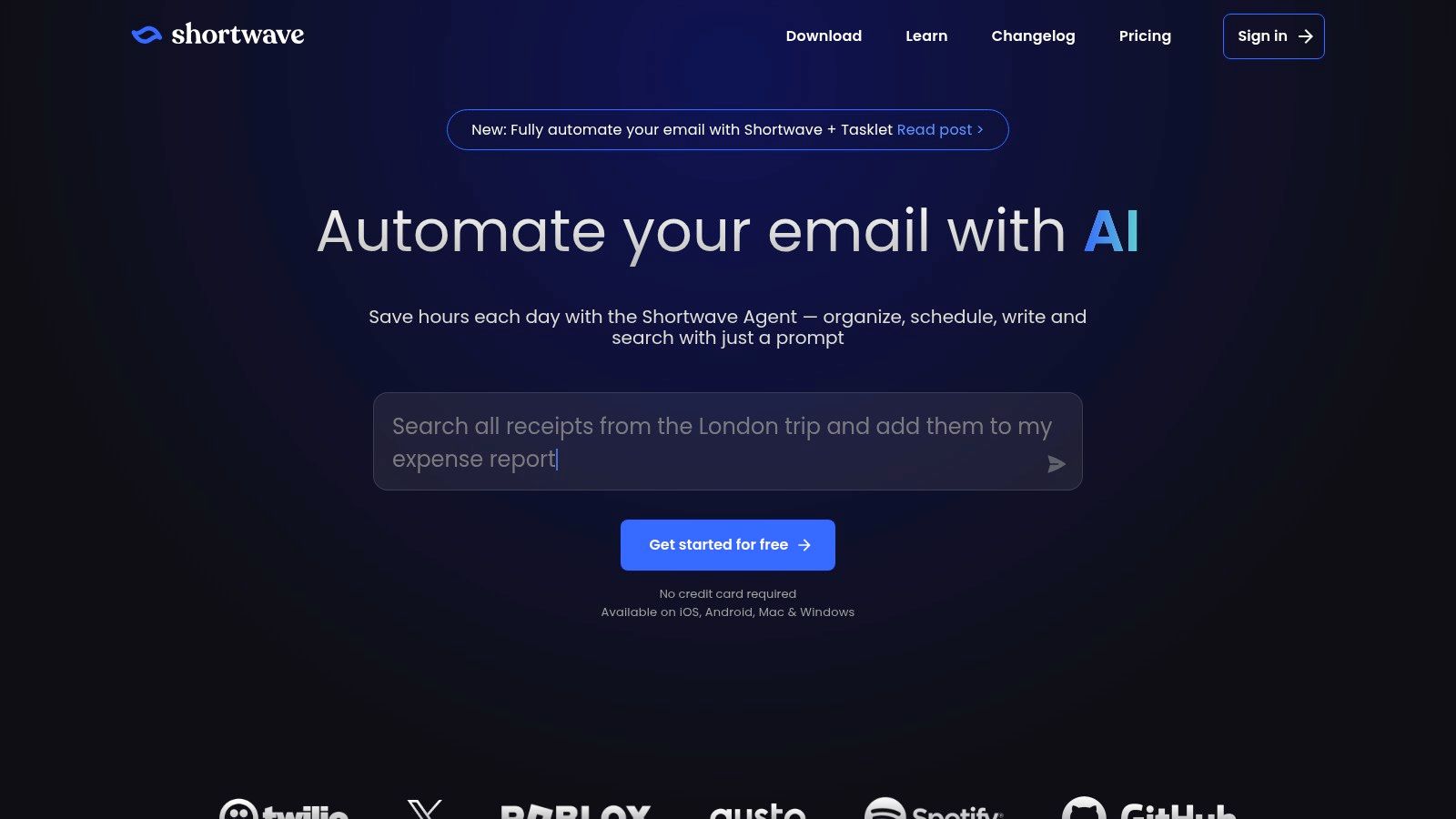
Its core strength lies in combining an opinionated, productivity-focused inbox with deeply integrated AI email writing tools. Unlike browser extensions that sit on top of Gmail, Shortwave's AI is a fundamental part of the experience, making it feel fast and cohesive.
The most compelling aspect is its ability to learn and apply your personal voice. By analyzing your past sent messages, its AI drafts sound less generic and more like you actually wrote them, a key differentiator for maintaining personal branding.
Key Features & Ideal Users
- Core Functionality: Generate and rewrite replies in your learned style, summarize long threads, and automatically bundle conversations into logical groups.
- Ideal User: Perfect for Gmail power users, startup founders, and solopreneurs who feel overwhelmed by the standard Gmail interface and want a faster, AI-native alternative.
| Feature | Ideal Use Case |
|---|---|
| AI-Powered Drafting | Quickly composing a follow-up email that matches your typical friendly tone. |
| Thread Summarization | Getting the gist of a long client discussion without reading every single reply. |
| Inbox Bundling | Automatically grouping newsletters and notifications to be dealt with in bulk. |
| Personal Voice Learning | Ensuring AI-generated drafts for client outreach reflect your personal style. |
Pricing
Shortwave offers a free tier with limited AI usage (10 AI actions/day). The Pro plan costs $9 per user, per month and includes unlimited AI actions, a 1-year search history, and real-time push notifications. The Business plan at $15 per user, per month adds unlimited search history, custom domains, and team collaboration features.
Pros and Cons
Pros:
- Excellent AI Integration: AI features are built into the core client, not added on.
- Learns Your Voice: Analyzes sent mail to generate replies in your authentic style.
- Productivity-Focused UI: Bundling and smart organization help manage inbox overload.
Cons:
- Gmail Only: No support for Outlook, Exchange, or other email providers.
- Opinionated Design: The bundled, chat-like interface may not appeal to all users.
For those seeking an alternative to Gmail's native interface with powerful AI, Shortwave is a top contender. However, users who need robust privacy controls without AI model training on their data might find Draftery a more suitable choice.
Website: https://www.shortwave.com/
6. MailMaestro
MailMaestro, the successor to Flowrite, is a lightweight AI assistant that integrates with Chrome and Outlook. It is built to compose, reply to, and improve emails with simple templates and tone controls. The tool acts as an unobtrusive layer that works where you already write, rather than forcing you to adopt a new email client or workflow.

Its main advantage is its low-friction setup and direct integration into existing email environments like Gmail and Outlook. Instead of a complex dashboard, MailMaestro provides one-click workflows to generate or refine text, making it a fast and simple addition for busy professionals.
The most compelling aspect of MailMaestro is its accessibility. By offering a functional free tier and affordable paid plans, it provides a practical entry point for individuals and small teams looking for AI email writing tools without a significant financial commitment.
Key Features & Ideal Users
- Core Functionality: One-click email composition, replies, and text improvements with adjustable tone controls. It works via Chrome extension for Gmail and a native add-in for Outlook.
- Ideal User: Great for freelancers, small business owners, and sales professionals who need a quick, no-fuss tool. Its free tier makes it perfect for students and individuals exploring AI assistants.
| Feature | Ideal Use Case |
|---|---|
| One-Click Reply | A support agent quickly generating a polite response to a common customer query. |
| Tone Adjustment | A manager refining a direct email to sound more encouraging before sending it. |
| Browser & Outlook Add-in | A freelancer using the same tool seamlessly across Gmail and their Outlook client. |
| Quick Compose | A sales rep drafting a follow-up email from a few short bullet points. |
Pricing
MailMaestro offers a Free plan with 50 AI requests per month. The Pro plan costs $12 per user, per month (billed annually) or $15 month-to-month, providing unlimited AI requests and access to premium features. A Team plan is also available with centralized billing and priority support. This straightforward pricing makes it one of the more affordable options.
Pros and Cons
Pros:
- Low-Friction Setup: Easy to install and use directly within Gmail and Outlook.
- Affordable Entry Point: The free plan is generous, and paid tiers are budget-friendly.
- Simple Interface: Focuses on essential features, avoiding overwhelming complexity.
Cons:
- Lighter Feature Set: Lacks the deep contextual awareness of more integrated enterprise tools.
- Platform Focus: Primarily designed for Chrome and Outlook, with limited native mobile presence.
For users seeking simplicity and affordability, MailMaestro is an excellent choice. However, professionals needing advanced features like privacy controls should consider more specialized AI email writing tools.
Website: https://www.maestrolabs.com/
7. Lavender
Lavender is an AI writing assistant built specifically for sales professionals. It integrates directly into your email client and CRM to help you write better outreach emails that get replies. Unlike general-purpose AI writers, Lavender focuses on data-backed coaching, analyzing your writing in real-time for clarity, tone, and deliverability to improve sales outcomes.
Its main strength is its laser focus on the sales process. The tool scores your email's quality as you type and provides suggestions to make it more effective. It also includes a personalization assistant that finds relevant information about your prospects to help you craft genuinely custom messages at scale.
Lavender's most compelling feature is its coaching and analytics dashboard. It gives sales managers visibility into team performance, highlighting which templates work and where reps need improvement, making it a powerful tool for onboarding and continuous training.
Key Features & Ideal Users
- Core Functionality: Real-time email scoring, tone and sentiment analysis, personalization suggestions, and team performance analytics.
- Ideal User: Perfect for sales development representatives (SDRs), account executives (AEs), and sales managers who want to increase reply rates and standardize effective outreach practices.
| Feature | Ideal Use Case |
|---|---|
| Real-Time Email Score | An SDR rewriting a cold email to improve its chances of passing spam filters. |
| Personalization Assistant | An AE quickly finding a prospect's recent LinkedIn post to reference in an email. |
| Team Analytics | A sales manager identifying top-performing templates to share with the team. |
| Mobile Add-On | A salesperson editing a follow-up email on their phone before a meeting. |
Pricing
Lavender offers several tiers. A free version provides basic email scoring. Paid plans start with Lavender Pro at $29 per user, per month, which includes the personalization assistant and deeper analytics. The Teams plan is $49 per user, per month, adding centralized coaching and analytics features for managers.
Pros and Cons
Pros:
- Sales-Specific Focus: Every feature is designed to improve sales email effectiveness and reply rates.
- Actionable Coaching: Provides real-time, data-driven feedback that helps reps learn and improve.
- Integrates with Workflows: Works inside Gmail, Outlook, Salesloft, and Outreach.
Cons:
- Narrow Scope: Not a general-purpose AI writer; its value is limited outside of a sales context.
- Can Create Dependency: Reps might rely too heavily on the score rather than developing their own instincts.
For professionals seeking a data-driven edge in their sales communication, Lavender is one of the best ai email writing tools available.
Website: https://www.lavender.ai/
8. Compose AI
Compose AI is a lightweight Chrome extension that accelerates writing across the web, including directly within Gmail's interface. It focuses on speed and efficiency through AI-powered autocompletion and quick-draft prompts, allowing users to write faster without leaving their current workflow. It acts as an inline assistant, suggesting phrases and sentences as you type.

The main appeal of Compose AI is its simplicity and low learning curve. It integrates directly into the text fields you already use, making it feel like a natural extension of your browser. You can use keyboard shortcuts to generate content or access reusable text snippets, which is great for repetitive tasks like answering common customer questions or sending outreach emails.
Its most compelling feature is its "everywhere" autocomplete function. By learning your writing style, it provides context-aware suggestions not just in Gmail but in Google Docs, Slack, and other web-based platforms, significantly reducing keystrokes.
Key Features & Ideal Users
- Core Functionality: Real-time AI autocomplete, full-text generation with simple commands, and a personal library of reusable text snippets accessible via hotkeys.
- Ideal User: Excellent for sales reps, customer support agents, and freelancers who need to write quickly and repetitively across different web platforms. Its simplicity also suits busy professionals who want a speed boost without a complex tool.
| Feature | Ideal Use Case |
|---|---|
| AI Autocomplete | Finishing sentences and paragraphs automatically while drafting a sales email. |
| Reusable Text Snippets | A support agent quickly inserting a detailed troubleshooting guide with a hotkey. |
| 'Write With AI' Command | Generating a first draft for a follow-up email by typing a short prompt. |
| Browser Integration | Drafting a project update in a web-based project management tool like Asana. |
Pricing
Compose AI offers a freemium model. The Free plan provides basic autocompletion and a limited number of AI-generated words per month. The Premium plan costs $9.99 per month and offers unlimited AI generation, advanced autocomplete, and more personalization. A Teams plan is also available with centralized billing and administration.
Pros and Cons
Pros:
- Simple and Fast: Works inside Gmail's composer and other web apps without switching clients.
- Low Learning Curve: Preserves your existing workflows and is easy to adopt.
- Works Everywhere: The Chrome extension functions across most web-based text fields.
Cons:
- Browser-Based Only: Lacks native desktop app integration for clients like Outlook or Apple Mail.
- Limited Team Governance: Not as robust for large-scale enterprise control compared to integrated suites.
For users who value speed and want one of the most straightforward ai email writing tools that stays out of the way, Compose AI is a strong contender.
Website: https://compose.ai/
9. HyperWrite
HyperWrite is a versatile AI writing assistant with a Chrome extension that integrates directly into your browser, offering inline email drafting and rewriting capabilities. Its strength lies in its general-purpose design, making it a solid choice if you want one tool that handles email alongside broader writing tasks like creating templates, drafting long-form content, or assisting with research.

Unlike dedicated email clients, HyperWrite operates wherever you work in your browser. This means you can use its AI suggestions not only in Gmail but also in project management tools, CRMs, or social media platforms, providing a consistent writing partner across your digital workspace.
Its most compelling feature is its ability to serve as an all-in-one writing and research companion. The "Type-Ahead" and "AutoWrite" functions can accelerate everything from quick email replies to detailed sales proposals.
Key Features & Ideal Users
- Core Functionality: Contextual email drafting, tone adjustment, and rewriting via a Chrome extension. Includes templates and long-form document support.
- Ideal User: Excellent for content creators, marketers, and freelancers who need a flexible AI tool that works across multiple websites and applications, not just email.
| Feature | Ideal Use Case |
|---|---|
| Browser-Wide Extension | A salesperson drafting a follow-up email in Gmail, then writing a LinkedIn post. |
| Type-Ahead & AutoWrite | A support agent quickly completing common phrases to resolve tickets faster. |
| Content Templates | A marketer creating a blog post outline and a promotional email from one tool. |
| Flexible AI Assistant | A founder drafting investor updates, product descriptions, and customer emails. |
Pricing
HyperWrite offers a free plan with limited generations. Paid plans start with the Premium tier at $19.99 per month, offering more credits and advanced features. The Ultra plan costs $44.99 per month for higher usage limits and the most powerful AI model. This makes it an accessible option for individuals and small teams.
Pros and Cons
Pros:
- Works Everywhere: Not limited to Gmail; functions across most websites in your browser.
- Multi-Purpose Tool: Combines email assistance with research and long-form content creation.
- Flexible and Accessible: Offers a free starting point and affordable plans for individuals.
Cons:
- Browser Dependent: Relies entirely on the browser environment and is not a standalone email client.
- Lighter on Governance: Lacks the deep security and compliance controls of enterprise-focused suites.
For professionals needing a single, adaptable AI writer for all their browser-based tasks, HyperWrite is a strong contender among ai email writing tools.
Website: https://www.hyperwriteai.com/
10. Mailbutler
Mailbutler is a mature email productivity extension that integrates its "Smart Assistant" AI alongside a wide suite of other features. Rather than focusing only on writing, it provides a complete inbox overhaul with scheduling, tracking, and contact management. This makes it a strong contender for professionals who want AI email writing tools combined with classic power-user functionalities. It works across Apple Mail, Gmail, and Outlook, offering a unified experience.

The platform’s main draw is its all-in-one nature. You can use its AI to compose a reply, then immediately schedule it to send later, add a follow-up reminder, and track when the recipient opens it. This workflow integration is where Mailbutler shines, especially for sales professionals and freelancers managing client relationships.
A key benefit is its support for Apple Mail, an email client often overlooked by other AI extension developers. This makes Mailbutler one of the few feature-rich options available for Mac users who prefer Apple's native mail application.
Key Features & Ideal Users
- Core Functionality: AI-powered email composing, summarizing, and task extraction. It's combined with email tracking, send later, follow-up reminders, and rich email signatures.
- Ideal User: Sales teams, freelancers, and small business owners who need a combination of AI writing assistance and traditional email productivity tools like tracking and scheduling. It's particularly useful for Apple Mail users.
| Feature | Ideal Use Case |
|---|---|
| Smart Assistant AI | Drafting a sales pitch and then summarizing the client's long response. |
| Email & Link Tracking | A salesperson sending a proposal and getting a notification when it's opened. |
| Broad Client Support | A consultant using the same toolset across their Gmail and Apple Mail accounts. |
| Team Templates & Signatures | A support team maintaining brand consistency with shared response templates. |
Pricing
Mailbutler offers several tiers, with AI features included in the paid plans. A limited free plan exists for basic tracking. The Professional+ plan is €16.95 per user, per month and includes the Smart Assistant AI, unlimited tracking, and scheduling. The Business plan at €39.95 per user, per month adds advanced team features, custom branding, and role management.
Pros and Cons
Pros:
- Broad Feature Set: Goes beyond AI writing to include tracking, scheduling, and contact management.
- Apple Mail Support: One of the most comprehensive extensions available for Apple's native email client.
- Cross-Platform: Works consistently across Gmail, Outlook, and Apple Mail.
Cons:
- Feature Overload: Might be too heavy for users who only want a simple AI writing assistant.
- Variable Features: Some functionalities can differ slightly depending on the email client being used.
For users seeking more than just an AI writer, Mailbutler is a powerful productivity suite. However, those focused on privacy and advanced tone matching may find other AI email writing tools a better fit.
Website: https://www.mailbutler.io/
11. Grammarly
Grammarly is a well-established AI writing assistant that now includes powerful generative AI features, making it a versatile tool for email composition. It integrates with Gmail and most other web apps to correct grammar, improve clarity, and adjust tone. With recent updates, it can also draft entire emails, generate replies, and rewrite text, positioning it as one of the more comprehensive ai email writing tools available.

Its primary strength lies in its ubiquity; Grammarly works almost everywhere you write online, not just within a single email client. This allows users to maintain quality and consistency across all their digital communications, from emails to social media posts and project management updates.
The most compelling feature is its ability to serve as an all-in-one writing partner. It acts as both a proofreader and a creative assistant, tightening prose and sparking ideas directly within your workflow, which is a rare combination in this market.
Key Features & Ideal Users
- Core Functionality: Generative AI drafting and rewriting, context-aware tone suggestions, and advanced grammar and clarity corrections directly in Gmail and other web editors.
- Ideal User: Excellent for individuals, freelance writers, and marketing professionals who need a reliable writing assistant across multiple platforms. Business tiers are a good fit for teams wanting to maintain a consistent brand voice.
| Feature | Ideal Use Case |
|---|---|
| Generative AI Drafting | A marketing manager quickly creating a promotional email campaign from a few prompts. |
| Tone & Clarity Engine | A job seeker ensuring their application emails sound confident and professional. |
| Cross-Platform Support | A consultant writing client emails in Gmail and project updates in Asana. |
| Brand Tone Controls | A corporate team aligning all external communications with the company's style guide. |
Pricing
Grammarly offers a free version with basic grammar and spelling checks. The Premium plan, which unlocks advanced tone, clarity, and plagiarism features, starts at $12 per month when billed annually. The Business plan adds team-focused features like style guides and analytics, with pricing starting at $15 per user, per month (minimum three users). The generative AI features are included across free and paid plans but with usage limits on the free tier.
Pros and Cons
Pros:
- Excellent at Editing: Superb at tightening prose, correcting complex errors, and adjusting tone.
- Works Everywhere: Not limited to email; functions across browsers and desktop apps.
- Intuitive Interface: Easy to use, with suggestions that are simple to accept or dismiss.
Cons:
- Changing Feature Model: The pricing and feature set have evolved, so it's wise to verify current limits and seat requirements.
- Can Be Intrusive: Some users find the interface and suggestions can be distracting during creative writing.
While an excellent all-around writing aid, those focused solely on email may find other AI assistants like Draftery offer a more tailored and privacy-first experience.
Website: https://www.grammarly.com/
12. Perplexity Email Assistant (for Perplexity Max)
Perplexity is expanding its powerful research and conversational AI into email with its Email Assistant, available for Perplexity Max subscribers. This tool operates as an agent-style assistant within your Gmail or Outlook inbox, aiming for a higher level of automation than typical AI email writing tools. It doesn't just draft emails; it can summarize threads, schedule actions, and answer questions about your inbox content.
The main advantage of this tool is its foundation in Perplexity's core strengths: research and accurate information synthesis. It applies these capabilities to your email, allowing it to understand complex conversations and act on them intelligently. It aims to manage parts of your inbox for you, not just help you write faster.
Its most compelling feature is the agentic approach. It’s designed to go beyond simple drafting to handle multi-step tasks like summarizing a meeting transcript from an email and drafting a follow-up with action items.
Key Features & Ideal Users
- Core Functionality: Drafts replies in your personal style, summarizes threads and attached documents, answers questions about your inbox, and can handle basic scheduling.
- Ideal User: Power users, tech enthusiasts, and busy professionals who are already invested in the Perplexity ecosystem and want an AI agent to actively manage their inbox, not just assist with writing.
| Feature | Ideal Use Case |
|---|---|
| Inbox Q&A | Asking "What did my client say about the new mockups last week?" |
| Agent-Style Actions | Instructing the AI to "Summarize this thread and schedule a follow-up call." |
| Research-Backed Context | Replying to a technical question by having the AI reference external info. |
| Tone Matching | Ensuring all AI-drafted replies maintain your unique professional voice. |
Pricing
The Perplexity Email Assistant is not a standalone product. It is included as part of the Perplexity Max subscription, which has been reported to be priced around $200 per month. This premium pricing reflects its positioning as an advanced, all-in-one AI agent that extends far beyond just email.
Pros and Cons
Pros:
- Advanced Agentic Capabilities: Aims to manage your inbox rather than just assist with writing.
- Research Integration: Applies Perplexity's powerful search and answer engine to your email context.
- High Automation Potential: Capable of handling more complex, multi-step tasks.
Cons:
- High-Cost Barrier: The premium subscription price makes it inaccessible for many individual users or small teams.
- Newer Product: As a recent addition, its security and administrative controls may not yet be as mature as enterprise-focused competitors.
While its cost is significant, those seeking to push the boundaries of AI email automation may find its agentic functions compelling, whereas users needing a dedicated, privacy-first writing assistant might prefer Draftery.
Website: https://www.perplexity.ai/
12 AI Email Writing Tools — Feature Comparison
| Product | Core features | UX & Quality (★) | Value & Pricing (💰) | Target Audience (👥) | Unique Strength (✨) |
|---|---|---|---|---|---|
| 🏆 Draftery | Per‑recipient voice profiles; auto‑drafts placed in Gmail Drafts; one‑click read‑only Gmail; continual feedback learning | ★★★★★ very natural, improves with use | 💰 $19/mo (Std) · $39/mo (Pro); 7‑day free trial · annual −20% | 👥 Founders, consultants, execs, freelancers, Gmail power users | ✨ Per‑recipient voice matching; privacy‑first; drafts appear before you open mail |
| Microsoft 365 Copilot for Outlook | Draft/rewrite in Outlook; thread summaries; action items; org controls | ★★★★ enterprise‑grade, strong context awareness | 💰 Enterprise licensing; complex pricing (best if on M365) | 👥 Large orgs, regulated industries, IT admins | ✨ Deep Office integration + compliance & admin controls |
| Google Workspace Gemini (Help me write) | Gmail compose drafts/rewrites; tone/length controls; cross‑Workspace (Docs/Sheets) | ★★★★ native Gmail UX; quality varies by tier | 💰 Included via Google One AI or Workspace tiers (plan‑dependent) | 👥 Gmail/Workspace users & orgs | ✨ Native Workspace workflows and cross‑doc AI |
| Superhuman | AI‑assisted drafts; split inbox; follow‑ups; keyboard‑driven workflows; Gmail/Outlook support | ★★★★ polished, ultra‑fast UX | 💰 Premium pricing (higher than basic clients) | 👥 Power users and teams living in email | ✨ Speed‑optimized, keyboard‑first experience |
| Shortwave | Gmail client with AI summaries, tone learning, bundled conversations, priority inbox | ★★★★ strong for Gmail power users | 💰 Premium vs stock Gmail; paid tiers | 👥 Gmail power users wanting advanced triage | ✨ Bundled conversations + AI triage |
| MailMaestro | Chrome + Outlook integrations; one‑click compose/reply/improve; tone controls; free tier | ★★★ lightweight, low‑friction | 💰 Free tier; affordable paid plans | 👥 Users who want in‑place AI without switching clients | ✨ Lives where you write; minimal setup |
| Lavender | Real‑time quality scoring; personalization assistant; team analytics; CRM support | ★★★★ sales‑focused, actionable feedback | 💰 Tiered pricing (team plans); confirm before rollout | 👥 SDRs, AEs, sales teams | ✨ Sales coaching + deliverability & personalization signals |
| Compose AI | Chrome extension: autocomplete, quick‑draft prompts, hotkeys, snippets | ★★★ fast, low learning curve | 💰 Free + usage‑based paid tiers | 👥 Users wanting speed without changing workflows | ✨ Inline autocomplete & reusable snippets across web |
| HyperWrite | Browser extension: contextual drafting, templates, long‑form & research support | ★★★ good for mixed writing tasks | 💰 Multiple individual & team plans | 👥 Writers needing email + long‑form assistance | ✨ Combines research and drafting in one tool |
| Mailbutler | AI write/rewrite/summarize; tracking, scheduling, follow‑ups, signatures; cross‑client | ★★★★ mature, feature‑rich | 💰 Paid tiers with team features | 👥 Teams needing tracking/scheduling; Apple Mail users | ✨ Broad productivity features beyond drafting |
| Grammarly | Context‑aware rewrites, tone suggestions, generative drafting, brand controls | ★★★★ excellent clarity & correctness | 💰 Free tier; Premium/Enterprise tiers for brand controls | 👥 Individuals & teams focused on writing quality | ✨ Best at grammar/tone polishing across surfaces |
| Perplexity Email Assistant (Perplexity Max) | Drafts in your tone; thread summaries; scheduling & agentic inbox actions | ★★★ ambitious, research‑driven but newer | 💰 Part of Perplexity Max (premium; reported ~$200/mo) | 👥 Power users wanting agentic automation & research | ✨ Research‑first agent capabilities beyond simple drafting |
Stop Writing Emails, Start Sending Them
We’ve explored a dozen powerful AI email writing tools, each offering a unique way to tackle the modern inbox. From the native muscle of Microsoft Copilot and Google Gemini to the sales-focused intelligence of Lavender and the privacy-first approach of Draftery, one thing is clear: the goal is not to automate human connection, but to remove the barriers that stand in its way.
The endless cycle of drafting, revising, and perfecting routine emails consumes hours that could be better spent on strategic thinking, client conversations, and creative problem-solving. These tools hand that time back to you. They are not here to think for you; they are here to help you execute your thoughts faster and more effectively.
Finding Your Perfect Fit: A Quick Guide
Choosing the right tool depends entirely on your specific role, priorities, and workflow. Let's break down the decision-making process into three simple categories to help you select the ideal assistant for your needs.
1. For the Workflow Purist: Deep Integration
If your primary goal is speed and minimal disruption, an integrated tool is your best bet. You want an assistant that lives inside your existing email client, not one that requires you to switch between apps.
- Best for Microsoft Ecosystems: Microsoft 365 Copilot is the obvious choice if you live in Outlook and Teams. Its deep connection to your calendar, files, and contacts provides unparalleled context.
- Best for Google Ecosystems: Google Workspace Gemini (formerly "Help me write") offers a seamless experience within Gmail and Google Docs, making it a natural fit for Google users.
- Best for Speed Demons: Superhuman and Shortwave are built from the ground up for speed, integrating AI features directly into their command-centric interfaces.
2. For the Results-Driven Professional: Specialized Intelligence
If your emails are tied directly to business outcomes like sales or team management, you need a tool that offers more than just composition. You need data-driven insights.
- Best for Sales Teams: Lavender is the clear winner here. Its real-time coaching, email scoring, and personalization suggestions are designed specifically to help sales professionals book more meetings and close more deals.
- Best for Managers & Teams: Mailbutler provides a suite of productivity features beyond writing, including tracking, scheduling, and team collaboration tools that help keep everyone aligned.
3. For the Privacy-Conscious Artisan: Tone & Control
If your professional voice is your brand and data privacy is non-negotiable, you need a tool that respects both. This is for consultants, founders, and professionals who value authenticity above all else.
- Best for Tone Matching & Privacy: Draftery stands out by learning your unique writing style and applying it to new drafts. Its commitment to privacy means your email data isn't used to train global models, giving you full control over your intellectual property.
- Best for General-Purpose Assistance: Grammarly has expanded its trusted editing features with AI generation, offering a reliable and familiar option for improving clarity and tone across all your writing.
The Real Value of an AI Email Assistant
The hours you save each week are not just a productivity metric; they represent reclaimed time. That’s an extra hour to brainstorm a new project, thirty more minutes to prepare for a crucial client call, or simply the freedom to close your laptop earlier and disconnect.
The true benefit of these AI email writing tools is their ability to handle the repetitive, low-value work that drains your energy. This frees you to focus on the high-value, uniquely human tasks that drive your business forward: building relationships, mentoring your team, and delivering exceptional work. Stop drowning in drafts and start making an impact. The right tool is waiting to help you do just that.
Ready to reclaim your time without sacrificing your authentic voice? Draftery learns your personal writing style to draft emails that sound exactly like you, ensuring your communications remain genuine. Start your free trial with Draftery and experience the power of AI that works for you, not the other way around.


