How to Improve Workplace Efficiency: Quick Wins for Busy Teams
It’s a familiar story: your team is swamped, but the needle isn't moving on your biggest goals. Everyone looks busy, but are they actually being productive? This is a classic sign of a workplace that prioritizes activity over actual achievement, and it's a fast track to burnout.
Real efficiency isn't about logging more hours. It’s about creating an environment where your team can do their best work by cutting out the friction—the constant context switching, the endless pings, and the repetitive tasks that drain their focus and energy.
Diagnosing Inefficiency and Finding Quick Wins
Before you can fix the problem, you have to see it clearly. A lot of teams get caught in "productivity theater," where the day is chopped up by pointless meetings, vague requests, and a steady stream of administrative busywork. The real goal is to stop this fragmentation and fiercely protect your team’s most valuable resource: their uninterrupted attention.
A truly efficient workplace is one that fiercely protects its team's ability to concentrate. The aim is to make deep, focused work the default and interruptions the managed exception.
Think of this as an audit of your team's time and energy. We're going to move beyond generic advice and dig into specific, actionable ways to identify what’s really slowing you down and how to start making immediate improvements.
Shifting from Time Wasters to High-Impact Solutions
A great place to start is by spotting the most common time-wasters and lining them up against simple, powerful solutions. Recognizing these patterns is the key to finding quick wins that can build momentum for bigger changes down the road.
This table gives you a quick-glance comparison of the usual suspects versus practical fixes you can implement right away.
Common Efficiency Killers vs. High-Impact Solutions
| Common Efficiency Killer | High-Impact Solution |
|---|---|
| Constant Email & Slack Interruptions | Set up clear communication rules. For instance, use Slack for quick chats, email for decisions that need a paper trail, and your project tool for task updates. |
| Vague Task Assignments & Unclear Priorities | Use a task management system where every single task has a clear owner, a firm deadline, and a detailed description of what "done" looks like. |
| Repetitive, Manual Administrative Work | Find and automate the small, mind-numbing tasks. Think data entry, pulling standard reports, or sending routine follow-ups with simple automation tools. |
| Ineffective, Overcrowded Meetings | Make a clear agenda and a desired outcome mandatory for every meeting. Better yet, build an "async-first" culture where meetings are the last resort, not the default. |
| Excessive Multitasking & Context Switching | Champion the idea of "focus blocks." Encourage your team to block off chunks of their calendar for uninterrupted work on a single, important task. |
Think of this table as your initial diagnostic tool. Tackling even one or two of these issues can have a massive ripple effect, helping you build a more focused, resilient, and effective team. Now, let’s dig into the core pillars that support a truly efficient workplace.
Identify and Eliminate Your Team's Biggest Time Wasters
Let's be honest. Many teams are caught in a cycle of "productivity theater." Everyone looks incredibly busy, rushing from task to task, but the work that truly matters just isn't getting done. It’s a frustrating feeling for everyone involved.
This usually happens when the day is chopped up by constant pings, unclear tasks, and a never-ending stream of small, administrative duties. Your first job is to shine a light on these hidden time sinks and start getting rid of them.
The path forward is actually pretty straightforward. It’s about spotting the problem, understanding why it's happening, and then putting a real fix in place.

Think of this as a structured approach, not just guesswork. You find the root of the issue, use a framework to analyze it, and then build a specific solution.
Start with a Simple Time Waste Audit
The best place to begin is with a quick "time waste audit." This isn't some formal, scary process. It's really just a conversation starter, backed by a little bit of data, to figure out what’s actually slowing your team down.
Ask everyone to informally track their activities for a couple of days. They don't need to log every minute, but they should jot down the main things that pull them away from their most important work.
The goal here isn't to micromanage or point fingers. It's about getting a shared, honest look at the friction in your daily work so you can fix it as a team.
Once you have this raw feedback, start looking for patterns. Is the calendar clogged with meetings? Is it the constant barrage of notifications? Or is it the time people waste just trying to find the right document? This data gives you a concrete starting point.
Pinpoint the Most Common Productivity Killers
While every team's challenges are unique, I've seen a few usual suspects pop up again and again. As you look at your audit notes, keep an eye out for these massive drains on your team's energy.
One of the sneakiest culprits is multitasking. We've all been conditioned to think it's a strength, but it's quietly wrecking your team's focus. Research consistently shows that switching between tasks can cut productivity by up to 40%. This is a huge reason why many office workers only get a few hours of truly productive work done each day.
Another hidden productivity drain is vague task assignments. When a task doesn't have a clear owner, a solid deadline, or a simple definition of "done," it kicks off a chain reaction of confusion and follow-up questions. All that back-and-forth is time that could have been spent actually doing the work.
Finally, don't overlook the tax of communication overhead. This is everything from digging through a bloated inbox to feeling obligated to answer non-urgent Slacks that break your concentration. If your team is losing hours to their inbox, our guide on how to manage email overload has some great, practical tips.
Common Time Wasters and How to Spot Them
Use this checklist to see if any of these common problems are hurting your team.
- Excessive Meetings: Are calendars slammed with back-to-back calls? Do many of them lack a clear agenda or end without any real decisions? That’s a classic sign of a broken meeting culture.
- Constant Context-Switching: Do your people have to jump between different projects, apps, and conversations all day long? This mental whiplash makes deep, focused work almost impossible.
- Repetitive Admin Tasks: Are people still manually entering data, creating the same weekly reports, or sending out generic follow-up emails? These are perfect candidates for automation.
- Information Silos: Does finding a simple piece of information feel like a treasure hunt? If key documents and decisions are scattered across emails, chat threads, and random folders, you've got a knowledge management problem.
By naming these specific issues, you can stop complaining about "being busy" and start implementing real, targeted fixes. The next step is to pick one or two of these areas and build a plan to tackle them, turning your audit insights into measurable improvements.
Taming the Communication Chaos
Let's be honest: chaotic communication is the silent killer of productivity. An endless flood of emails, constant pings on Slack, and conversations scattered across a dozen different apps create a state of constant distraction. If your team feels like they're always playing catch-up, it’s a sign that your communication system is broken.
The good news is that you can fix it. It starts with creating a simple playbook for how your team communicates, ensuring the right conversations happen in the right places. This one change can drastically cut down on noise and give everyone their focus back.
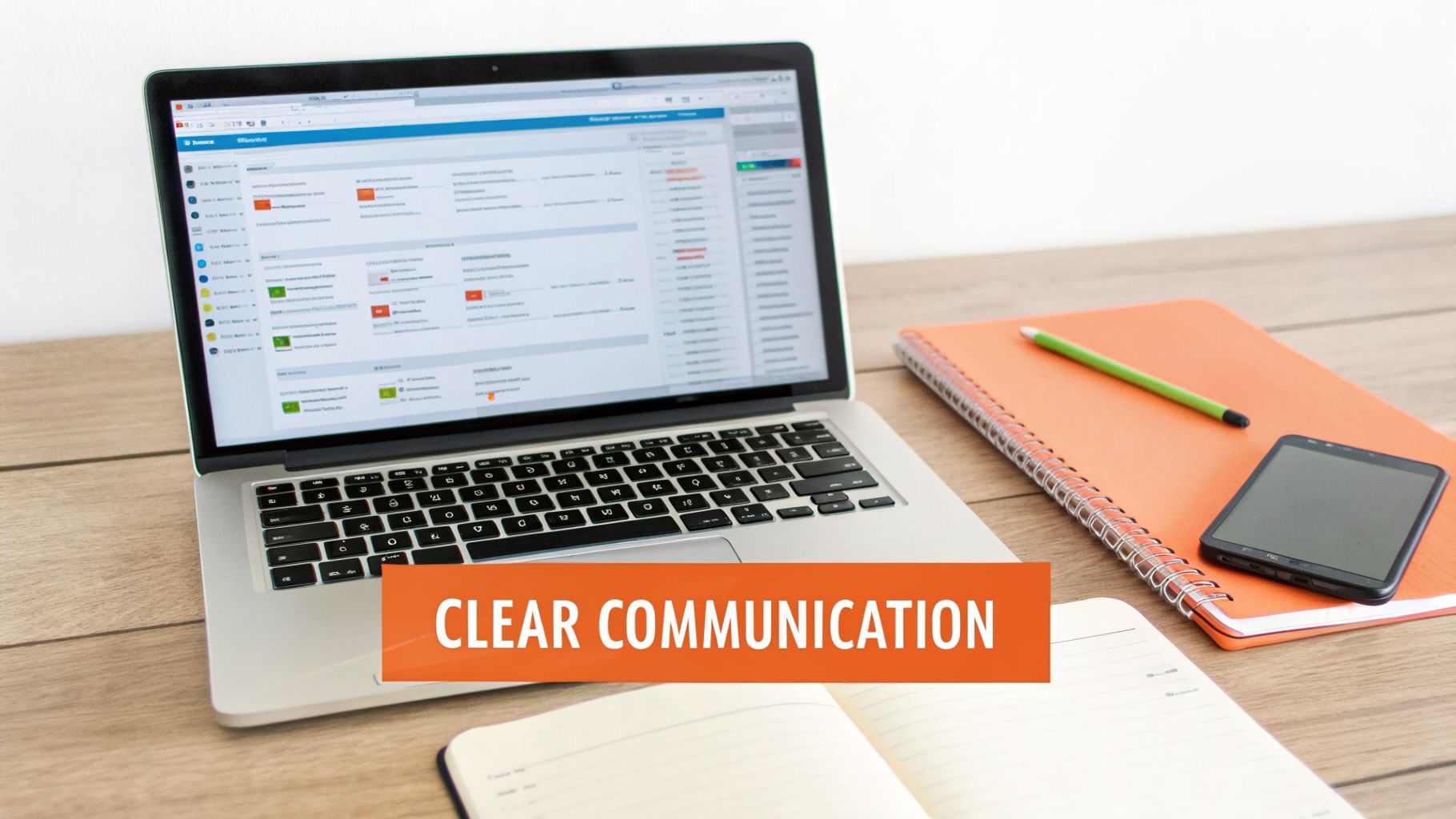
Think of it this way: a messy digital workspace is just as disruptive as a cluttered desk. Bringing some order to your tools is a powerful first step toward getting more done.
Define Your Communication Channels
The first thing I always recommend is giving every tool a specific job. This simple act of assigning a purpose to each platform eliminates the guesswork for your team. They no longer have to wonder where to post something or search three different apps to find a file.
A setup I’ve seen work wonders for countless teams looks something like this:
- Instant Messaging (Slack, Teams): This is for quick, informal questions—the digital equivalent of tapping someone on the shoulder. Use it for urgent updates that need a fast, but not necessarily life-or-death, response.
- Email: Keep this channel for more formal announcements, key decisions that need a paper trail, and all external communication with clients or partners. It’s perfect for conversations that are important but don’t require an immediate back-and-forth.
- Project Management Tools (Asana, Trello): This is non-negotiable. All task-specific updates, questions, and files must live here. It keeps every conversation tied directly to the work, so critical details never get lost in a random Slack channel or email thread.
- Scheduled Meetings: Treat meetings as a last resort. They should be reserved for complex problem-solving, strategic planning, or sensitive topics where face-to-face nuance is essential.
By creating these simple rules, you empower your team to manage their own attention. They'll know they can safely ignore Slack for an hour to do deep work, confident that any critical task update will be waiting for them in your project tool.
This isn't just about being organized; it's about creating a calmer, more focused work environment. For a deeper dive, our guide on client communication best practices has some great strategies you can easily adapt for your internal team.
Conquer the Biggest Time Sink: Email
Even with the best channel strategy, email often remains the biggest productivity drain. The sheer volume turns your inbox into a reactive to-do list that dictates your day. The numbers are frankly staggering—the average professional spends over 250 hours per year on email. For a founder juggling 50+ emails daily, that adds up to 12.5 hours per week. Think of what you could do with that time back.
You can read more about the true cost of email and how modern tools can help you reclaim that time on Draftery.ai.
Traditional advice like "inbox zero" is a nice idea, but it falls apart for founders, executives, and consultants who face a massive daily influx of messages. Manually processing every single email just doesn't scale.
This is where a new generation of smart tools comes in. Instead of just helping you organize emails, they help you process them faster by automating the most time-consuming part: drafting the replies.
Use AI to Handle the First Draft
Imagine opening your inbox and finding that for many of your emails, a personalized, context-aware reply is already written and waiting in your drafts folder. This isn't some far-off future concept; it's exactly what modern AI email assistants are built to do.
Tools like Draftery are designed to solve this exact problem. It learns your unique writing style directly from your sent emails—your tone, your common phrases, how you greet certain people, and even your emoji usage. When a new email lands in your inbox, the AI reads the entire thread and automatically generates a draft reply that sounds exactly like you wrote it.
The process is incredibly straightforward but incredibly powerful:
- The AI learns your voice. It securely analyzes your past sent messages to build a profile of how you write. More importantly, it creates per-recipient voice profiles, so a draft reply to your CEO will sound very different from one to a close teammate.
- It drafts replies for you. As new messages arrive, the tool generates complete, ready-to-send replies based on the conversation's context and your unique style for that specific person.
- You just review and send. All you have to do is open Gmail, find the pre-written draft, give it a quick scan, make any minor tweaks you want, and hit send.
This completely flips the script on email. Instead of staring at a blank page for every response, you’re starting from a 95% finished draft. It saves countless hours each week and, just as importantly, frees up the mental energy you'd normally waste on repetitive communication. That brainpower can go where it really matters: the strategic work that actually grows your business.
Put Automation and Smart Tools to Work for You
We’ve all been there. You have a huge project to move forward, but you spend half your day just copying and pasting data, generating the same weekly report, or sending out reminder emails. These little repetitive jobs are the silent killers of productivity.
They don't just eat up time; they drain your team of the mental energy needed for creative problem-solving and big-picture thinking. The solution isn’t to work longer hours. It’s about being strategic and letting technology handle the grunt work so your team can focus on what they do best.
Find the Low-Hanging Fruit for Automation
Before you dive into buying new software, you need to pinpoint exactly where the friction is. The best tasks to automate are the ones that are repetitive, follow a clear set of rules, and make your team’s eyes glaze over just thinking about them.
Start by looking for these common time-wasters in your own workflow:
- Mind-numbing data entry: Is someone on your team manually moving contact info from an email into your CRM? That’s a perfect candidate for automation.
- Repetitive reporting: Does a team member spend a few hours every Monday pulling the same numbers for a standard report? A tool can build that report and drop it in your inbox while you sleep.
- Chasing people down: Sending follow-ups for unpaid invoices, meeting reminders, or overdue tasks is something a machine can do without getting tired or annoyed.
- Answering the same questions: If you’re constantly typing out replies to common customer questions or sending the same welcome emails, a smart tool can take over.
The point of automation isn't to replace your people. It's to rescue them from doing the work of a robot. When you automate these low-value tasks, you free up your team to solve the complex problems that actually drive your business forward.
My advice? Don't try to boil the ocean. Just pick one small, frustrating task and find a simple tool to fix it. The momentum you get from that one win will make it so much easier to tackle the next one.
Build Your Smart Tool Stack
You don't need some massive, expensive enterprise system to see a huge difference. In fact, a handful of well-chosen tools that work together can be far more powerful. I like to think of it as a simple three-part stack.
1. A Project Management Hub: This is your "single source of truth." A tool like Asana or Trello makes it crystal clear who is doing what and when it’s due, which cuts down on endless status update meetings and confused email chains.
2. A Workflow Automation Platform: Think of something like Zapier as the digital glue that connects all your apps. It can automatically create a task in Asana when a certain email lands in Gmail or add a new customer to a spreadsheet when they fill out a form on your website. No more manual data transfer.
3. An AI-Powered Communication Assistant: Let's be honest, email is often the biggest time sink of all. An AI email assistant can help draft your replies, saving you and your team dozens of hours every single month.
When you combine these three, you create a workflow where information moves automatically between systems. It’s a game-changer for workplace efficiency.
A Real-World Automation Example
Let's make this concrete. Imagine a small consulting team that's getting buried in administrative work. They start using an AI email assistant like Draftery and immediately reclaim a huge chunk of their week.
Draftery works by learning each team member's unique writing style from their sent emails. So, when a routine client inquiry comes in, it doesn't just generate a generic response—it drafts a reply that sounds exactly like the consultant who needs to send it.
Here’s how it plays out:
- A client sends an email asking a common question about scheduling a call.
- Draftery instantly reads the email, understands what’s needed, and drafts a polite, on-brand reply.
- The draft appears right inside the consultant’s Gmail, ready for a quick review.
Instead of spending 5-10 minutes writing each of these replies from scratch, the consultant now spends about 15 seconds reviewing the draft and hitting "send." This one simple automation can easily save the team over 10 hours a week. That’s time they can now spend on billable work or growing the business. For more ideas, you can explore our guide on using AI for effective email management.
This is what practical automation is all about. This tool was actually born from that exact pain point—the founder, a solopreneur, built it to escape the email overload he was facing while juggling multiple products. Every feature solves a real-world problem, all part of a vision where founders can focus on creating, not on admin.
Redesign Your Workflows for Deep Work and Focus
Real efficiency isn't about looking busy. It's about protecting your team's ability to truly concentrate. The endless stream of pings, notifications, and "quick questions" is a productivity killer, forcing constant context switching that leaves little room for actual thinking.
If you want to improve workplace efficiency, you have to intentionally redesign your workflows. The goal is simple: make deep, focused work the default, and make interruptions the rare, managed exception.
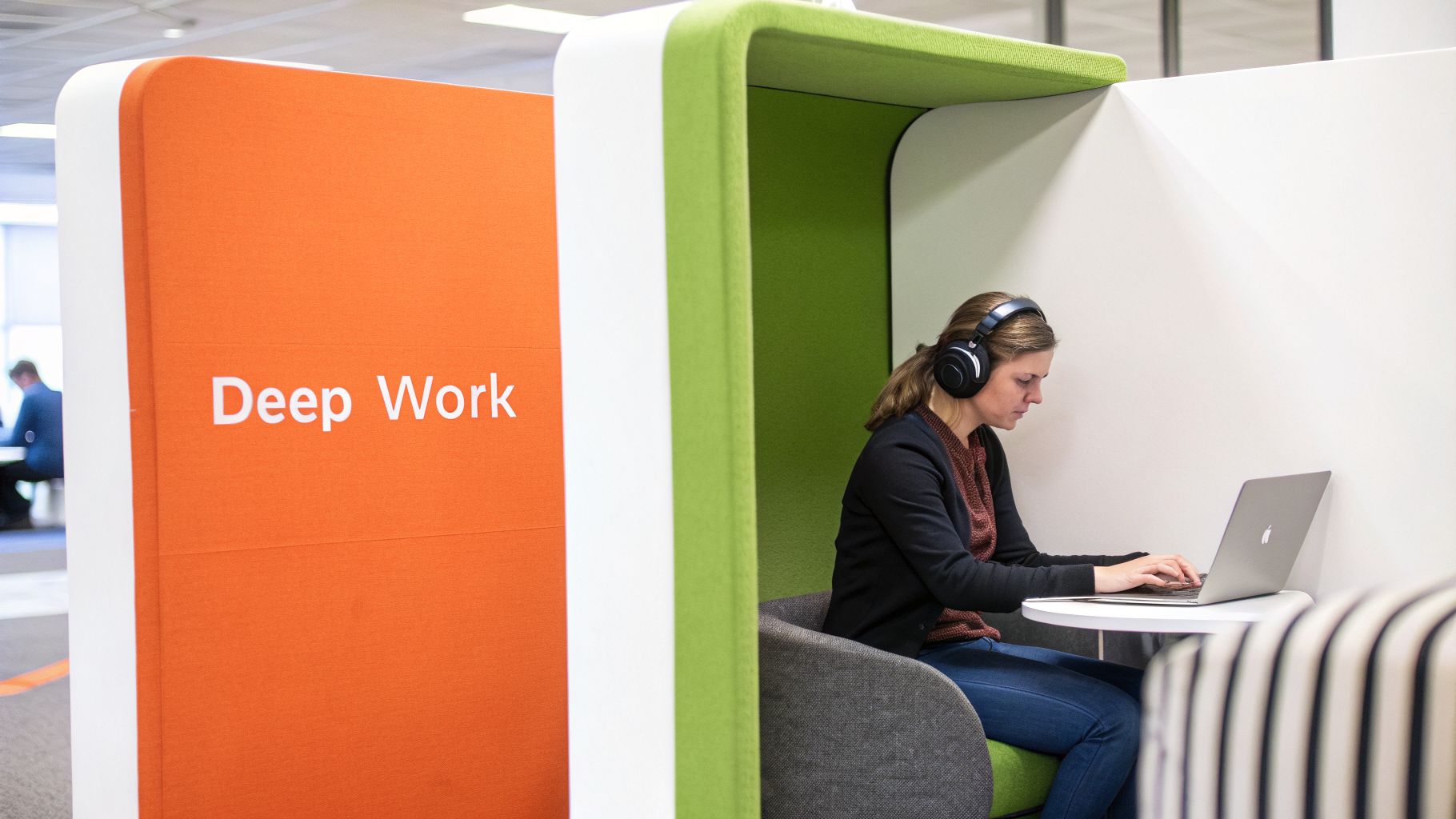
This kind of change requires a deliberate shift in your team's daily rhythms, starting with how you handle time and communication.
Implement Focus Blocks and Go Asynchronous-First
One of the most impactful changes you can introduce is scheduling "focus blocks" directly into the team calendar. Think of these as recurring, meeting-free zones—maybe 90 minutes every morning—where everyone agrees to go dark on non-urgent messages. This isn't just "quiet time"; it’s a shared commitment to giving each other the space needed for complex problem-solving.
To make focus blocks stick, you need to pair them with an "asynchronous-first" communication culture. This is a fundamental mindset shift where instant responses are no longer the expectation. You're teaching the team that not every question demands an immediate answer.
Ultimately, this comes down to trust. It empowers people to disconnect from the constant noise, confident they won’t miss anything critical because you've established a clear channel for true emergencies.
Run Fewer, Better Meetings
Let's be honest: meetings are a primary enemy of deep work. They chop the day into small, unusable pieces, making it almost impossible to get into a state of flow. The fix is straightforward—run fewer meetings, and make the ones you absolutely must have incredibly effective.
Before you even think about sending a calendar invite, ask yourself one question: "Could this be handled with an email, a shared doc comment, or a quick chat message?" You'll be surprised how often the answer is yes.
For those meetings that are genuinely necessary, stick to these non-negotiable rules:
- No Agenda, No Meeting: Every invitation must have a clear agenda outlining the goals and the specific questions that need answers.
- Only Essential Attendees: If someone doesn't have a speaking role or isn't a key decision-maker, they probably don't need to be there. Respect their time.
- End with Clear Action Items: No meeting should end without a quick summary of what was decided, who is responsible for what, and by when.
A meeting is a tool for making decisions, not just sharing information. When you start treating your team's time like the precious, finite resource it is, you'll naturally find yourself in fewer, more productive gatherings.
Maximize Remote and Hybrid Models
The move toward remote and hybrid work has been a golden opportunity for efficiency, but only if you're intentional about it. The data is fascinating: the average workday has actually shrunk by 36 minutes since pre-remote days, yet global productivity is up 2%. Remote-only employees, in particular, gain about 29 minutes of productive time each day. You can explore more of these trends and what they mean at Eptura.com.
To capture this advantage, you have to formalize the benefits. The lack of a commute and the potential for a distraction-free home office are great, but they need structure. This means setting clear expectations for availability and response times, trusting your team to manage their own schedules, and shifting your focus from hours logged to outcomes delivered.
These kinds of structural changes are a direct antidote to the burnout and disengagement that a fragmented, interruption-driven culture creates. By building a system that champions focus, you’re not just making your team more efficient—you're creating a more sustainable and rewarding environment where people can finally do their best work.
Your Workplace Efficiency Questions, Answered
Even with the best playbook, changing how a team operates always unearths some new challenges. Making a team more efficient isn’t just about new rules or software; it’s about people. Here are some of the most common questions that pop up, with straightforward answers to help you navigate the real-world hurdles.
How Do I Get My Team On Board with New Tools and Processes?
If you want a new initiative to fail, just force it on your team without their input. Getting true buy-in means making them part of the conversation from the very start. Don't just announce a new tool—start by talking about the nagging problem it's meant to solve.
You have to frame the change around what’s in it for them, not just what the company gains.
- For instance: Instead of, "We're adopting a new project management tool," try something like, "We're looking for a way to kill our daily status meetings so you can get more deep work done."
- Or instead of: "You all need to learn this automation software," you could say, "This should get all that mind-numbing data entry off your plate so you can focus on the more interesting parts of your job."
A great way to get started is with a small pilot program. Find a few people who are open to the idea and let them become your internal champions. When their colleagues see them finishing work faster and looking less stressed, that success story will be more convincing than any memo from leadership.
What Are the Best Metrics to Measure Improved Efficiency?
It’s easy to fall into the trap of tracking hours worked, but that’s a notoriously bad measure of productivity. To really see if your changes are working, you need to measure outcomes, not just activity. The right KPIs are the ones that tie directly to business results.
Think about quality and process improvements, not just raw output.
The real goal here is to track the removal of friction. Are projects moving from start to finish with fewer hiccups? Is communication getting clearer? Is less time being wasted? Those are the true indicators that you're becoming more efficient.
I've found it's best to track a mix of metrics like these:
- Task Completion Rate: The percentage of tasks completed by their original due date. If this number goes up, it’s a good sign that your workflows are smoother and bottlenecks are disappearing.
- Project Turnaround Time: How long does it take to get from kickoff to "done"? Shorter cycles are a clear sign of a leaner, more effective process.
- Ratio of Strategic vs. Administrative Work: Just ask your team for a gut-check estimate. The aim is to see the time they spend on admin busywork shrink over the weeks and months.
- Reduction in Internal Emails: If you’ve put new communication guidelines in place, a noticeable drop in the internal email chatter is a huge win for everyone's focus.
Which Tasks Should We Automate First?
Diving into automation can feel like a massive undertaking, but the trick is to start small. Look for the tasks that are highly repetitive, follow a clear set of rules, and are universally hated by the team. These are your perfect "quick win" candidates.
Some classic examples are:
- Data Entry: Any time someone is manually copying info from a form or email into a spreadsheet or a CRM.
- Standard Reporting: Pulling the same numbers every single week or month for a status update.
- Sending Follow-up Emails: Nudging a client about an unpaid invoice or reminding a teammate about an upcoming deadline.
- Scheduling Meetings: The endless back-and-forth email chain just to find a time that works for everyone.
Automating one small, low-risk process builds incredible momentum. It proves the concept works and gets the whole team excited to find the next thing to automate.
A word of caution: when you're choosing tools, especially for something as personal as communication, security and privacy have to be top priorities. For example, some AI email assistants can be a bit sketchy with your data. That's why it's important to look for tools built with privacy at their core, like Draftery. They never send emails for you, never share your data with third parties, and don't train their AI models on your private content. You can see their full commitment to data handling and GDPR compliance on their privacy page.
Ready to stop wasting time on email and start focusing on what matters? Draftery automatically drafts replies in your unique writing voice, saving you hours every week. Start your free 7-day trial and experience a smarter inbox.