The 7 Best AI Email Writer Tools of 2026: A Deep Dive

Your inbox never sleeps, but you have to. The constant flow of emails demands time and mental energy, pulling you away from the work that actually matters. Drafting the right response, finding the perfect tone, and personalizing follow-ups can easily consume your entire day. This constant pressure leads to rushed replies, missed opportunities, and the dreaded feeling of being perpetually behind.
What if you could reclaim that time? AI email writers are designed to solve this exact problem. These tools integrate directly into your workflow, helping you draft clear, effective emails in a fraction of the time. They can summarize long threads, suggest replies, and even adapt their writing style to match your unique voice. This isn't about replacing your judgment; it's about giving you a powerful assistant to handle the repetitive parts of communication.
This guide gets straight to the point. We've reviewed the top contenders to find the best AI email writer for busy professionals like you. Instead of generic overviews, you'll find a practical breakdown of what makes each tool stand out.
We will explore seven leading platforms:
- Draftery: A privacy-focused tool with excellent tone matching.
- Google Gemini in Gmail: Natively integrated for quick drafts.
- Microsoft Copilot for Outlook: A strong choice for Microsoft 365 users.
- Superhuman: AI features built into a premium email client.
- Shortwave: An AI-first inbox designed for speed.
- Lavender: A sales-focused coach for writing better emails.
- MailMaestro: An AI assistant for multiple email clients.
For each option, you'll get a clear look at its key features, pricing, and ideal use case, complete with screenshots and direct links. Our goal is simple: to help you find the right tool to manage your inbox, not the other way around. Let's get started.
1. Draftery
Draftery positions itself as a strong contender for the best AI email writer by focusing on a specific, high-value problem: creating personalized email replies that sound exactly like you. Instead of generating generic, robotic text, it acts as a true digital assistant. It learns your unique writing style from your sent mail and then proactively drafts replies that are ready for you to review and send, all within your existing Gmail workflow. This approach is built for busy professionals who value authenticity and efficiency, saving them hours while maintaining control over their communications.

The platform’s core strength is its per-recipient voice matching. Draftery analyzes how you communicate with different people, building distinct profiles for your CEO, direct reports, and key clients. This means a draft reply to your boss will adopt a more formal tone, while a message to a teammate might include the emojis and casual phrases you typically use with them. It’s a level of personalization that sets it apart.
Key Features and Workflow
Draftery's design prioritizes a seamless, "review-first" experience that fits directly into a professional's daily routine.
- One-Click Gmail Integration: Setup is remarkably simple. You connect your Gmail account with a single click, granting read-only access. Draftery then begins analyzing your sent mail to learn your style.
- Proactive Draft Generation: Once synced, the tool automatically generates replies for incoming messages and places them directly in your Gmail Drafts folder. Many users report having up to 80% of their replies waiting for them before they even open an email thread.
- Per-Recipient Voice Matching: The AI doesn't just learn your voice; it learns how you adapt your voice for others. This results in drafts that feel authentic to each specific relationship.
- Privacy-First Architecture: Draftery was built with security in mind. It uses encrypted data, is GDPR compliant, and runs on SOC 2 certified servers. Crucially, the tool never sends, deletes, or modifies your emails, and you can disconnect and delete your data at any time.
Why Draftery Stands Out
While many AI tools offer email assistance, Draftery’s focus on authentic replication and a non-intrusive workflow makes it a superior choice for professionals. The goal isn't just to write an email; it's to write your email, saving you the mental energy of composition without sacrificing your personal touch. This philosophy is evident in its simple, effective design.
Beyond the core product, Draftery provides a suite of free resources, including an Email Tone Analyzer and over 20 professional templates. These extras, combined with its thoughtful design, make it more than just a tool, it's a complete productivity system for email management. If you're looking for a deeper dive into its capabilities, you can find more information about how an AI email assistant can fit into your workflow on their blog.
Pricing and Availability
Draftery offers a straightforward pricing model with a 7-day free trial that doesn't require a credit card.
- Standard: $19/month for unlimited drafts, style analysis, and full Gmail integration.
- Pro: $39/month adds priority generation, advanced style controls, and support for multiple email profiles.
- Annual Discount: A 20% discount is available for users who opt for annual billing.
Website: https://draftery.ai
Pros & Cons
| Pros | Cons |
|---|---|
| Authentic Voice Matching: Drafts adapt your tone for each recipient, maintaining relationship context. | Gmail-Only: Currently lacks native support for Outlook, Apple Mail, or other email clients. |
| Significant Time Savings: Users report saving 2+ hours daily with proactive drafting. | Human Review Required: While high-quality, drafts for sensitive or complex topics still need a final human check. |
| Seamless "Review-First" Workflow: Drafts appear in Gmail, keeping you in full control before sending. | Limited Enterprise Features: As a founder-led product, it may lack the extensive enterprise support of larger competitors. |
| Strong Privacy & Security: Features data encryption, GDPR compliance, and SOC 2 hosting with full user data control. | |
| Valuable Free Resources: Includes a tone analyzer, templates, and persona-specific guides. |
Best For: Busy professionals, founders, consultants, and managers who handle a high volume of email and need to maintain a personalized, authentic voice at scale without sacrificing efficiency.
2. Google Gemini in Gmail ("Help me write")
For professionals who live and breathe inside their Gmail inbox, Google's native AI assistant, "Help me write," is a natural starting point. This tool, powered by Gemini, is built directly into the compose window, eliminating the need to switch tabs or copy-paste text between applications. It serves as a strong baseline AI email writer for anyone already invested in the Google Workspace ecosystem.

The primary benefit is its seamless integration. Clicking the pencil icon with a star at the bottom of the compose window launches the AI. You can provide a simple prompt like, "draft an email to the team about the new Q3 OKRs," and Gemini will generate a complete message. From there, you can refine it further using built-in options to make it more formal, casual, shorter, or more elaborate.
Key Features and User Experience
Gemini's standout quality is its context awareness within your email threads. When replying, it understands the previous messages and can draft a response that directly addresses the ongoing conversation. This makes it a dependable tool for managing high-volume inboxes and maintaining momentum in conversations.
- Inline Drafting: Write and refine entire emails without leaving the Gmail compose window.
- Tone & Length Adjustments: Easily switch between professional, casual, and other tones with one click.
- Workspace Governance: For businesses, Workspace admins can manage how AI features are used and how company data is handled, providing a layer of security and control.
Pricing and Availability
Access to Gemini in Gmail varies. Basic "Help me write" features are rolling out to many personal Gmail accounts at no extra cost. For more advanced capabilities and enterprise-grade security, you'll need a paid Google Workspace plan with the Gemini for Google Workspace add-on, which starts at around $20 per user per month.
Pros and Cons
| Pros | Cons |
|---|---|
| No context switching: Built directly into Gmail. | Generic tone: Can require significant editing to sound like you. |
| Free for many users: Widely available on personal and basic plans. | Limited personalization: Lacks deep voice-matching features. |
| Secure for businesses: Benefits from Google Workspace admin controls. | Varying features: Best tools are tied to paid plans. |
Best For: Professionals and teams deeply embedded in the Google Workspace ecosystem who prioritize convenience and data governance over advanced personalization. It's a great choice for those exploring AI for email management for the first time without adding new software.
While it may not offer the personal voice replication of more specialized tools, Gemini's convenience makes it a powerful and accessible option for millions of Gmail users.
Website: https://workspace.google.com
3. Microsoft Copilot for Outlook
For organizations operating within the Microsoft 365 ecosystem, Copilot for Outlook is the powerhouse AI assistant designed for deep integration and enterprise-grade security. Similar to Google's approach, Microsoft places its AI directly within the Outlook client, but its true strength lies in its ability to draw context from your entire M365 suite, including Teams, Word, and your calendar. This makes it an exceptional tool for professionals whose work spans across Microsoft's various applications.
Activating Copilot in Outlook opens a sidebar where you can draft new messages, summarize long and complex email threads, or even get coaching on your tone and clarity. By providing a simple prompt like, "draft a reply to Sarah confirming the project timeline and mention the key dates from our last Teams call," Copilot can pull that contextual information directly, without you needing to search for it. This cross-app awareness is what sets it apart as a true work assistant, not just an email writer.
Key Features and User Experience
Copilot's standout quality is its ability to synthesize information from your work graph. When you're drafting an email, it can reference shared documents, calendar availability, and recent Teams conversations to create a message that is not only well-written but also factually rich and contextually relevant. This makes it a formidable option for managing complex projects and stakeholder communications.
- Cross-App Context: Drafts emails by pulling data from Word docs, PowerPoint presentations, Teams chats, and your calendar.
- Thread Summarization: Provides concise summaries of long email chains and highlights key action items and decisions.
- Enterprise-Grade Security: All data processing happens within your organization's Microsoft 365 tenant, ensuring compliance and data privacy.
Pricing and Availability
Copilot for Outlook is not a free add-on; it's a premium feature aimed at business and enterprise users. Access requires a Microsoft 365 Business Standard, Business Premium, E3, or E5 license, plus the Copilot for Microsoft 365 add-on, which costs $30 per user per month with an annual commitment. This positions it as a significant investment for organizations looking for a deeply integrated AI solution.
Pros and Cons
| Pros | Cons |
|---|---|
| Deep M365 integration: Pulls context from Teams, Word, etc. | Significant cost: Requires a base M365 plan plus a $30/user add-on. |
| Strong enterprise security: Data remains within your M365 tenant. | Overkill for just email: Its value is tied to using the full M365 suite. |
| Works across desktop and web: Consistent experience on all platforms. | Can feel corporate: The tone may need tweaking for personal communication. |
Best For: Large organizations and teams already standardized on Microsoft 365 who need a secure, context-aware AI assistant. It's the most powerful choice for users whose daily workflow involves constant interaction between Outlook, Teams, and other Microsoft office applications, making it a leading contender for the best ai email writer in a corporate setting.
While the price is steep, for companies committed to the Microsoft stack, Copilot's ability to connect disparate information streams into a single, cohesive email is a game-changer.
Website: https://www.microsoft.com/en-us/microsoft-365-copilot/pricing
4. Superhuman (AI features inside the Superhuman email client)
For power users who view their inbox as a command center, Superhuman offers a premium, speed-focused email client with deeply integrated AI. It’s not just a writing assistant; it’s a complete email environment designed for rapid triage, response, and organization. Its built-in AI features are crafted to complement its famous keyboard-first workflow, making it a top contender for the title of best AI email writer for those who prioritize efficiency.
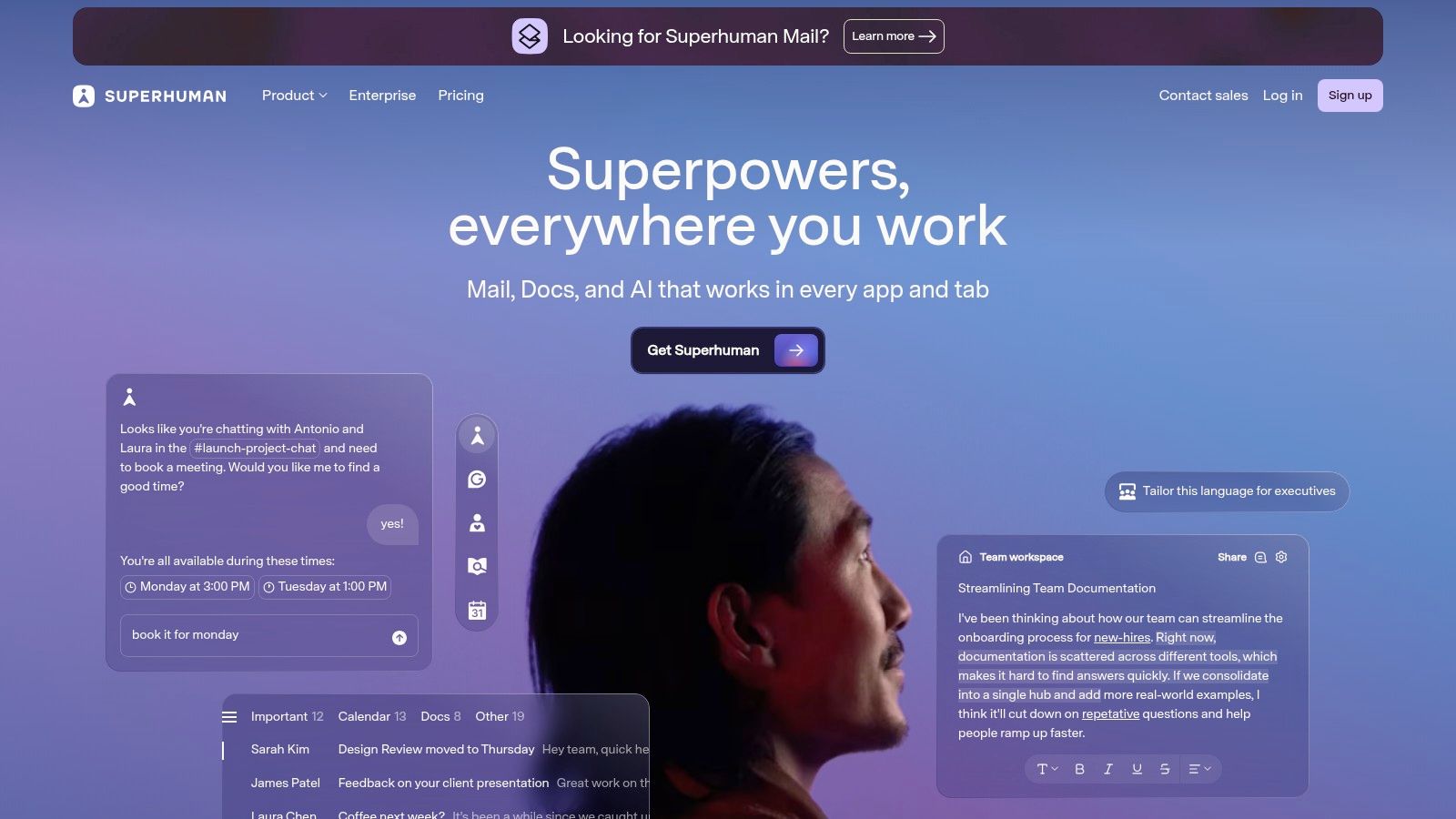
The core appeal of Superhuman is its philosophy: email as a task to be completed as fast as possible. The AI is an extension of this. With a simple keyboard shortcut (Cmd+J on Mac, Ctrl+J on Windows), you can summon the AI to draft a reply, fix spelling and grammar, or change the tone of your message on the fly. This avoids any disruption to the quick, fluid experience that Superhuman is known for.
Key Features and User Experience
Superhuman AI is designed to feel instant. Its features, like "Auto Draft" and "Ask AI," are built directly into the compose and reply flow. When you get a long email, you can instantly summarize the thread to get the key points without reading every word. This is a game-changer for anyone struggling with information overload and looking for better ways to manage a high volume of emails.
- Keyboard-First AI: All AI functions are accessible via keyboard shortcuts, keeping you in the flow of work without reaching for your mouse.
- Instant Replies and Summaries: Draft complete responses or get the gist of a long conversation in seconds, directly within the client.
- Team and CRM Integrations: The Business plan connects with tools like HubSpot and Salesforce, allowing teams to use AI for sales and client communication within their existing workflows.
Pricing and Availability
Superhuman is a premium product with a price to match. The main plan with AI features costs $30 per user per month. There is a Business plan with additional team features and integrations, and pricing is available upon request. Unlike browser extensions or free native tools, Superhuman requires a full commitment to its client and pricing model, but it includes white-glove onboarding and excellent customer support.
Pros and Cons
| Pros | Cons |
|---|---|
| Polished, fast experience: Designed for daily email triage. | Requires adopting the Superhuman client: Cannot be used with other email apps. |
| Deeply integrated AI: Features feel native to the workflow. | Premium pricing: More expensive than extensions or native tools. |
| Strong support and community: Includes a detailed onboarding process. | Less focus on voice matching: AI drafts are more generic than specialized tools. |
Best For: Email power users, executives, and sales professionals who process hundreds of emails daily and are willing to invest in a premium tool for maximum speed and efficiency. It’s ideal for those who want their AI writing assistant built into a high-performance email client.
Superhuman’s approach is clear: it’s an entire system for email productivity, with AI serving as a powerful accelerator. While it requires you to adopt its specific workflow, the gains in speed and focus are substantial for its target audience.
Website: https://superhuman.com
5. Shortwave
For those who view their inbox not just as a communication tool but as a productivity system, Shortwave offers a completely redesigned email experience. Built on top of Gmail, it functions as an AI-native client focused on reducing inbox noise and helping you process information faster. It's the spiritual successor to Google Inbox, designed for users who want their email app to actively help them manage the deluge.
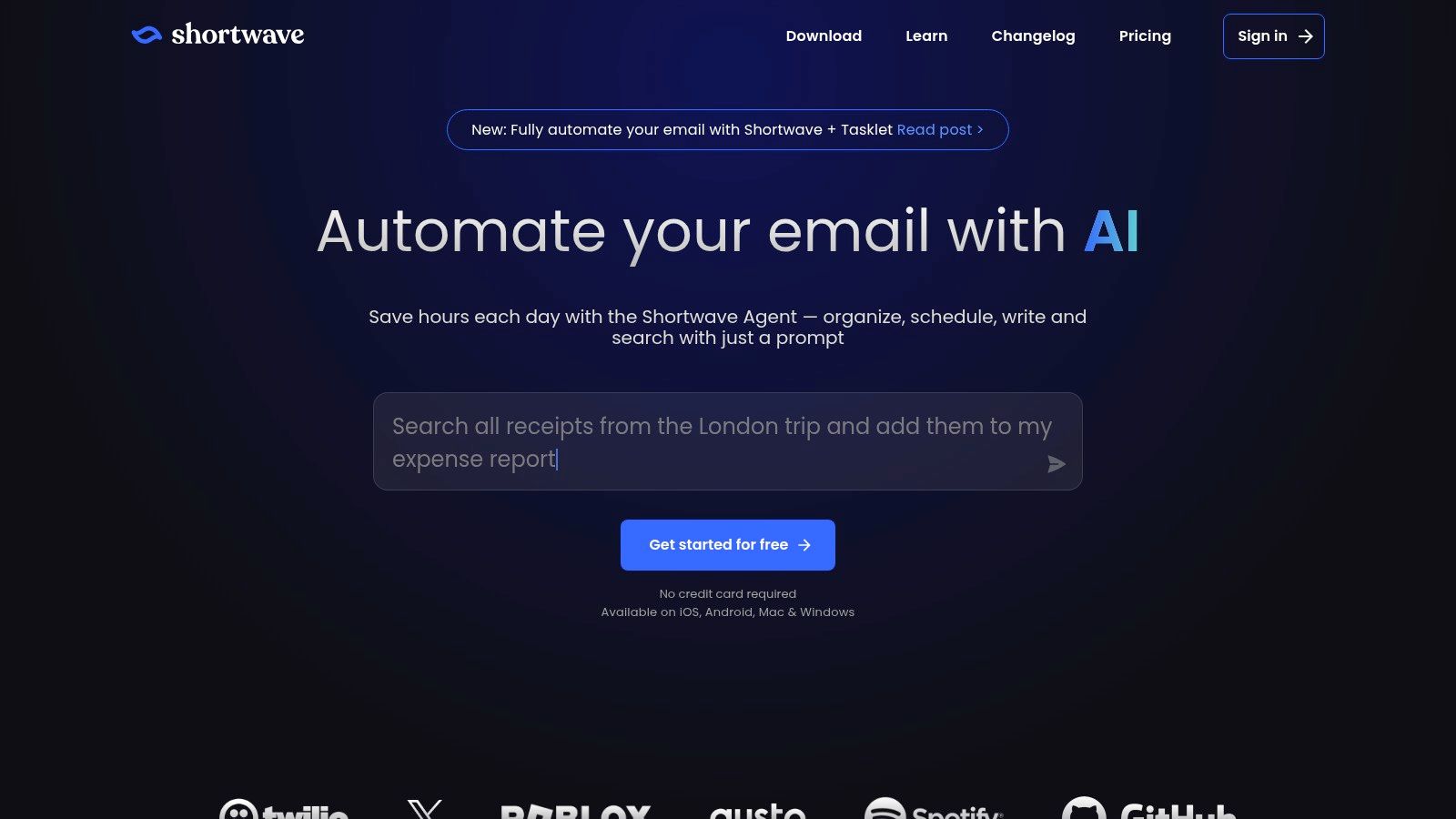
The core idea behind Shortwave is not just to help you write emails, but to change how you interact with them. It automatically bundles related messages, like newsletters or calendar invites, into single-line items you can clear with one click. Its most celebrated feature is the AI-powered thread summary, which collapses long, complex conversations into a concise brief, so you can catch up without reading every single message.
Key Features and User Experience
Shortwave’s strength lies in its opinionated approach to email management. It guides you toward a more organized workflow. When it's time to write, its smart autocomplete suggests phrases and sentences, speeding up the composition process. This makes it a contender for the best AI email writer for users who prioritize speed and inbox organization.
- AI Thread Summaries: Instantly understand the context of long email chains with AI-generated summaries.
- Smart Autocomplete: The compose window offers intelligent suggestions to help you write replies and new messages more quickly.
- Automated Bundling: Groups similar emails (newsletters, notifications) together to clear your inbox of clutter.
- Low-Friction Onboarding: Since it's built for Gmail, getting started is as simple as signing in with your Google account.
Pricing and Availability
Shortwave offers a tiered pricing model. A generous free plan is available, which includes most core features but adds a "Sent with Shortwave" signature to outgoing emails and has limits on search history. For more advanced features, no signature, and unlimited search, paid plans start at around $9 per user per month. Team plans are also available with shared inboxes and collaborative features.
Pros and Cons
| Pros | Cons |
|---|---|
| Excellent at inbox organization: Summaries and bundling are top-tier. | Gmail only: No native support for Outlook or other email providers. |
| Low-friction for Gmail users: Seamless sign-up and sync. | Free plan adds a signature: Requires a paid plan to remove it. |
| Great for processing high volume: Reduces time spent reading emails. | Advanced AI features are paid: Best tools are on premium tiers. |
Best For: Gmail power users who feel overwhelmed by inbox volume and want an AI assistant that not only helps write but actively organizes their workspace. It's ideal for anyone who loved Google Inbox and seeks a modern, AI-driven alternative.
While its AI writing tools are more about speed than deep personalization, Shortwave's holistic approach to email management makes it a powerful ally for achieving inbox zero.
Website: https://www.shortwave.com
6. Lavender
For sales professionals whose success is measured in reply rates, Lavender positions itself as more than just an email writer; it's an AI sales email coach. Built specifically for the high-stakes world of outbound communication, it integrates directly into your existing workflow, providing real-time feedback to help you write emails that actually get opened and answered. It’s a specialized tool designed to optimize sales outreach, not just automate it.
Lavender stands out by moving beyond simple drafting. As you write, it provides an "email score" from 0 to 100 and offers concrete suggestions to improve it. This score is based on data from millions of sales emails, analyzing factors like length, complexity, sentiment, and the use of questions. It helps sales reps avoid common pitfalls, such as writing overly formal or self-centered messages.
Key Features and User Experience
Lavender’s core strength lies in its real-time coaching. The tool seamlessly embeds into Gmail, Outlook, and popular sales engagement platforms like Outreach and Salesloft, analyzing your text as you type. It flags complex sentences, suggests simpler wording, and ensures your tone is confident and reader-focused.
- Real-Time Email Coaching: Get an instant score and actionable feedback to improve your email's effectiveness before you hit send.
- Personalization Assistant: Helps you research your recipient on social media and find relevant information to include for genuine, personalized outreach.
- Deep Sales Platform Integration: Works inside the tools your sales team already uses, including Salesloft, Outreach, HubSpot, and Apollo, creating a frictionless workflow.
Pricing and Availability
Lavender offers a limited free plan that provides basic scoring and suggestions, which is a good way to test its coaching capabilities. For full access to its powerful features, including the personalization assistant, deeper integrations, and team analytics, you'll need one of its paid plans. The Pro plan starts at around $49 per user per month.
Pros and Cons
| Pros | Cons |
|---|---|
| Purpose-built for sales: All features are designed to increase reply rates. | Niche focus: Less valuable for general internal or non-sales communication. |
| Actionable coaching: Provides specific, data-backed advice to improve writing. | Limited free tier: Core features are locked behind a significant paywall. |
| Excellent for training: Helps onboard new sales reps and standardize quality. | Can feel prescriptive: Some users may find the scoring system rigid. |
Best For: Sales teams and account executives who need to optimize every part of their outbound email process. It is the best AI email writer for organizations focused on improving sales metrics and coaching reps to write more effective, personalized messages at scale.
While it's not a general-purpose tool, Lavender's specialized focus on sales effectiveness makes it an indispensable asset for any revenue-focused team looking to gain a competitive edge in the inbox.
Website: https://www.lavender.ai
7. MailMaestro (Maestro Labs)
For professionals who operate across both Google and Microsoft ecosystems, MailMaestro offers a flexible AI email assistant that works as an add-in for both Gmail and Outlook. It’s designed to be a comprehensive productivity tool, going beyond simple drafting to help manage your entire email workflow. This makes it a strong contender for the title of best AI email writer for users who value cross-platform support.

MailMaestro positions itself as more than just a writer; it’s an assistant. You can compose, reply, and rewrite messages while controlling for tone and length, but its real strength lies in its ability to summarize lengthy email threads and even attached documents. This feature alone can save significant time for anyone who deals with complex project updates or detailed client feedback. It also includes functions to automate email labeling and send reminders, bringing order to chaotic inboxes.
Key Features and User Experience
The user experience is built around efficiency within your existing email client. By integrating directly into Gmail and Outlook, MailMaestro reduces the need to switch contexts. Its team-focused features are particularly noteworthy, allowing for shared templates and knowledge bases. This ensures that everyone in a department can maintain a consistent voice and access the same information, which is a great asset for sales, support, and HR teams.
- Dual-Platform Support: Works as an add-in for both Gmail and Outlook, a key differentiator from many competitors.
- Summarization Power: AI can summarize not just long email conversations but also the content of attachments like PDFs and Word documents.
- Team Collaboration: Provides shared templates, a collective knowledge base, and centralized billing to simplify team management.
- Workflow Automation: Helps with scheduling meetings, automatically labeling incoming emails, and setting follow-up reminders.
Pricing and Availability
MailMaestro offers a straightforward pricing structure. There is a free plan that gives users a limited number of AI actions per week, making it a good way to test the tool's core capabilities. For individuals and small businesses needing more, the Pro plan is affordable and removes these limits. Team plans build on this with centralized management features.
Pros and Cons
| Pros | Cons |
|---|---|
| Works in both Outlook and Gmail: Excellent for mixed-platform environments. | Some features are Outlook-first: Advanced management tools may be more mature on Outlook. |
| Clear free tier and affordable Pro plan: Accessible for individuals and SMBs. | Weekly limits on free plan: Power users will quickly need to upgrade. |
| Summarizes attachments: A unique time-saving feature. | Less focus on deep voice matching: Prioritizes features over hyper-personalization. |
Best For: Individuals and teams who use both Gmail and Outlook and need a tool that bridges the gap. Its summarization and team template features make it ideal for client-facing roles and internal coordinators who value consistency and efficiency.
With its robust feature set and cross-platform availability, MailMaestro is a powerful and practical choice for anyone looking to bring AI assistance directly into their inbox.
Website: https://www.maestrolabs.com
Top 7 AI Email Writers Comparison
| Tool | 🔄 Implementation complexity | ⚡ Resource / Setup | 📊 Expected outcomes | 💡 Ideal use cases | ⭐ Key advantage |
|---|---|---|---|---|---|
| Draftery | Low — one-click Gmail integration; learns from sent mail | Minimal — Gmail (read-only), subscription (Standard/Pro) | High time savings; many replies drafted proactively | Founders, consultants, execs, freelancers, busy knowledge workers | ⭐ Per-recipient voice matching + privacy-first (SOC 2, GDPR) |
| Google Gemini in Gmail ("Help me write") | Very low — native in Gmail/Workspace | Negligible for users on Workspace; feature set varies by plan | Reliable baseline drafting, rephrasing; can feel generic | Gmail/Workspace users who want built-in AI with admin controls | ⭐ Seamless native integration with Workspace governance |
| Microsoft Copilot for Outlook | Medium–High — enterprise rollout and admin setup | Requires Microsoft 365 + Copilot license; IT/admin configuration | Strong contextual drafts, summaries, action-item extraction | Organizations deeply invested in Microsoft 365 | ⭐ Deep cross-suite context and enterprise-grade security |
| Superhuman (AI features) | Medium — requires adopting Superhuman client | Requires switching client and paid subscription | Extremely fast triage and polished AI drafting | Power users who prioritize speed and keyboard-first workflows | ⭐ Speed-optimized, premium client experience |
| Shortwave | Low — Gmail-native app with quick onboarding | Gmail-only; free tier available (paid for advanced) | Excellent thread collapsing and actionable summaries | Users who need inbox noise reduction and concise summaries | ⭐ Best-in-class thread summarization and automation |
| Lavender | Medium — integrates with inbox and sales platforms | Integrations with SalesLoft/Outreach/HubSpot; paid tiers for full features | Improved outbound performance via scoring and personalization | Sales teams and high-volume outreach reps | ⭐ Sales-focused coaching and email-scoring for better reply rates |
| MailMaestro (Maestro Labs) | Low–Medium — add-in for Gmail and Outlook | Works with both Gmail & Outlook; free tier with limits, affordable Pro | Composing, rewrites, summaries, team templates and reminders | Individuals and SMB teams needing cross-client support | ⭐ Cross-client support with team templates and centralized billing |
Our Verdict: The Best AI Email Writer for Most Professionals
Choosing the right AI email assistant can feel like a big decision, especially when your goal is to reclaim your time without sacrificing the quality of your communication. After a detailed review of the leading tools, from platform-native assistants like Gemini and Copilot to specialized applications like Lavender and Superhuman, a few clear patterns emerge. The central question isn't "Which tool is the most powerful?" but rather, "Which tool fits my specific workflow and respects my privacy?"
For many professionals, the ideal solution isn't a complex system that requires learning a new interface or a tool that takes over their entire inbox. It's an assistant that integrates quietly, works instantly, and delivers consistently high-quality results. Your choice will ultimately depend on your unique needs and existing software ecosystem.
Making Your Final Decision: A Quick Guide
To find the best AI email writer for your situation, consider these final points based on what we've covered. Your answer will guide you to the perfect tool.
- If you live inside the Google or Microsoft ecosystem: Google Gemini and Microsoft Copilot are convenient starting points. They are built directly into your email client, offering a frictionless way to experiment with AI assistance without adding another subscription or application. However, be prepared for more generalized output and less control over specific tones or styles.
- If you are a sales professional: Lavender is built from the ground up for you. Its focus on email scoring and sales-specific language makes it a powerful asset for anyone whose income depends on email open and reply rates. The trade-off is a very narrow focus that may not be suitable for general-purpose email tasks.
- If you want a completely new email experience: Superhuman and Shortwave offer a fundamentally different approach to inbox management, with AI features baked in. If you're willing to switch from your current email client (like Gmail or Outlook) for the promise of peak efficiency, these are excellent choices. Their AI is designed to complement their high-speed, minimalist interfaces.
Our Top Pick: Draftery
While every tool on this list has its merits, Draftery stands out as the best AI email writer for most busy professionals, consultants, and founders. Its design philosophy directly addresses the primary pain points of email management: time, tone, and workflow interruption.
Key Insight: The most effective AI tools are those that adapt to your workflow, not the other way around. Draftery excels by providing powerful assistance without forcing you to leave your inbox or learn a new system.
Draftery’s strengths lie in its practical and thoughtful execution. The one-click Gmail link is a perfect example; it eliminates the copy-paste cycle that plagues many other AI tools, moving a perfectly formatted draft directly into your compose window. This seemingly small feature saves significant time and mental energy over hundreds of emails.
Furthermore, its advanced voice and tone matching goes beyond simple presets like "formal" or "casual." It learns your unique communication style, ensuring the AI-generated drafts sound genuinely like you. For professionals whose personal brand is tied to their communication, this is a critical feature. Combined with a strong commitment to user privacy, Draftery provides a complete and trustworthy solution that fits neatly into the daily reality of managing a high-volume inbox. It’s a tool that works for you, quietly and effectively, in the background.
Ready to see how an AI assistant designed for your workflow can save you hours each week? Draftery is built for busy professionals who need to write better emails faster, without compromising on privacy or personal style. Try Draftery today and get your first high-quality draft in under a minute.


